Fomo puts INJ trading on your phone. Fund your account with USDC, trade INJ, and share the thinking behind your position with a public thesis.
This guide takes you from an empty cash balance to your first INJ trade on Fomo. Follow the screenshots to deposit funds, find the Solana INJ listing, and review and submit your order. It also covers how to add a thesis after your trade.
What you need
- The Fomo app with your account set up
- USDC to deposit, or a debit card or Apple Pay
- A wallet or exchange you can send USDC from, if you fund with crypto
- Cash in your balance before you can place a trade
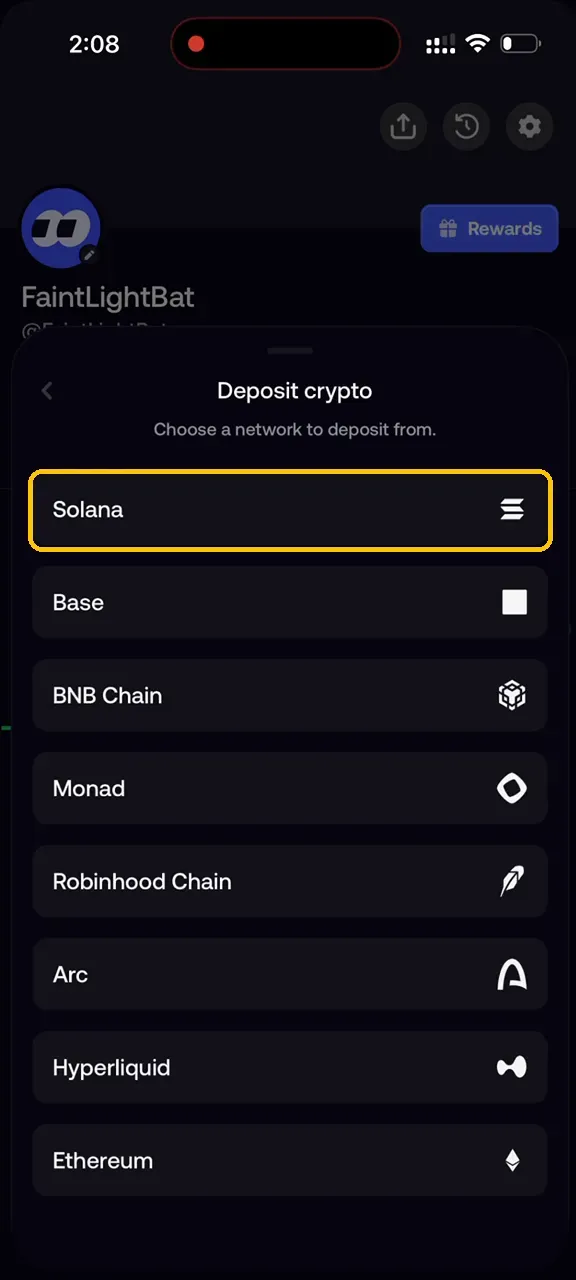
USDC is the only asset that credits your cash balance, so deposit USDC and nothing else. You can send it from Solana, Base, BNB Chain, Monad, Robinhood Chain, Arc, Hyperliquid, or Ethereum. Each network has its own deposit address inside the app.
Fund your cash balance
Step 1. Start a Deposit
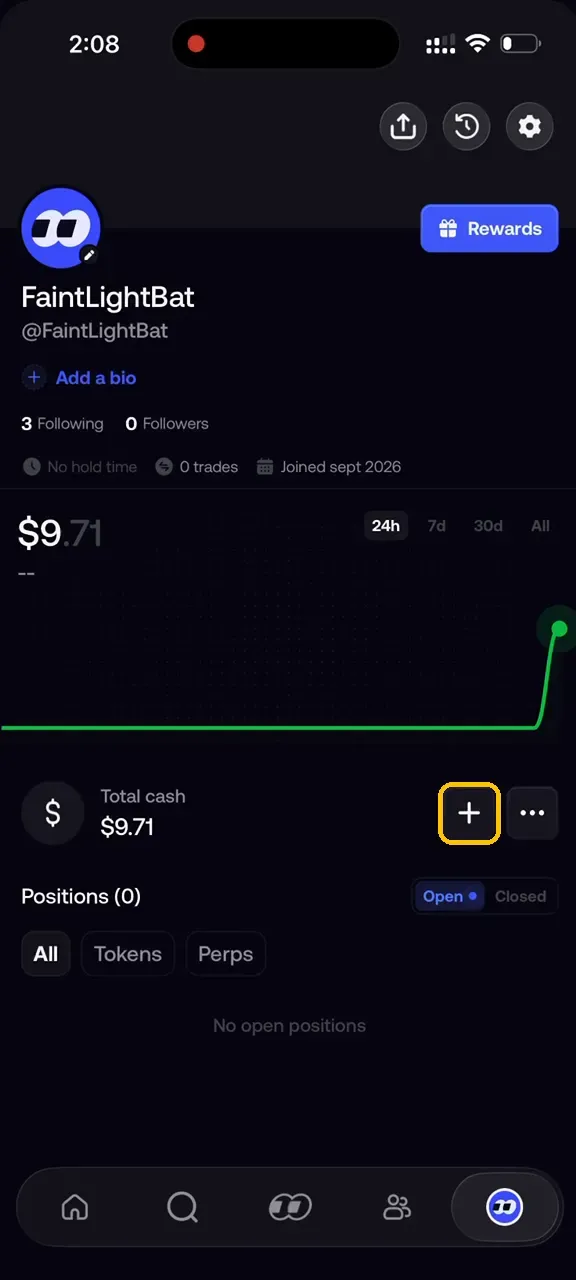
Open the profile tab and tap the plus next to Total cash.
Step 2. Choose How You Want to Deposit
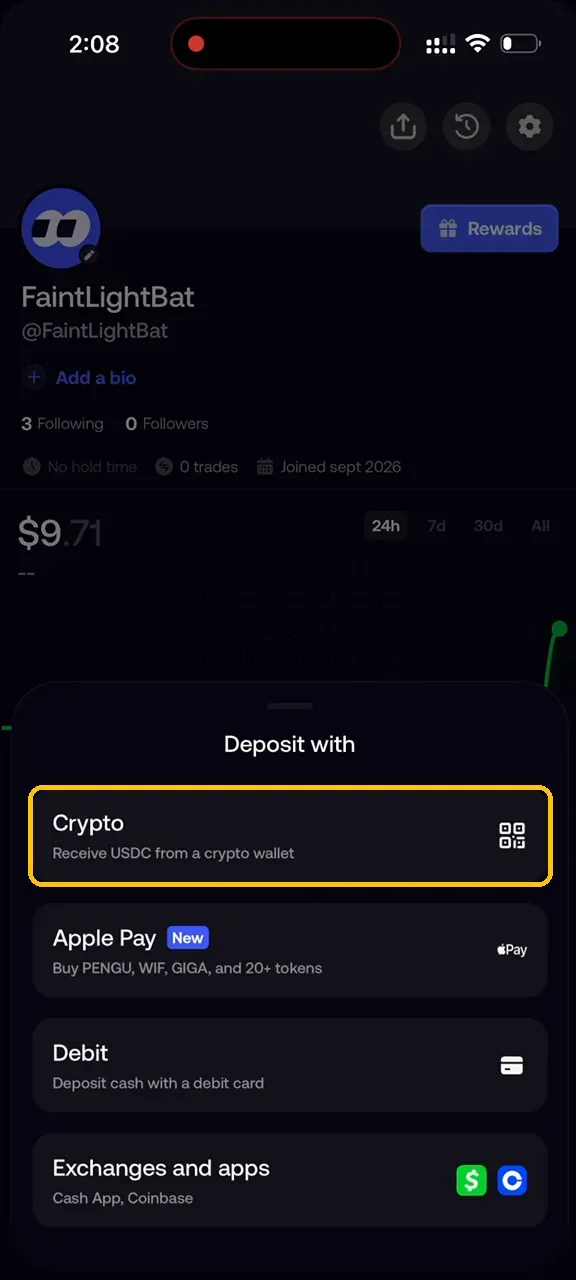
Select Crypto to send USDC from a wallet you control. If you do not hold USDC, use Debit or Apple Pay instead.
Step 3. Pick your network
Select the network your USDC is on. Sending on any other network will not credit your account.
Step 4. Copy the Address and Send
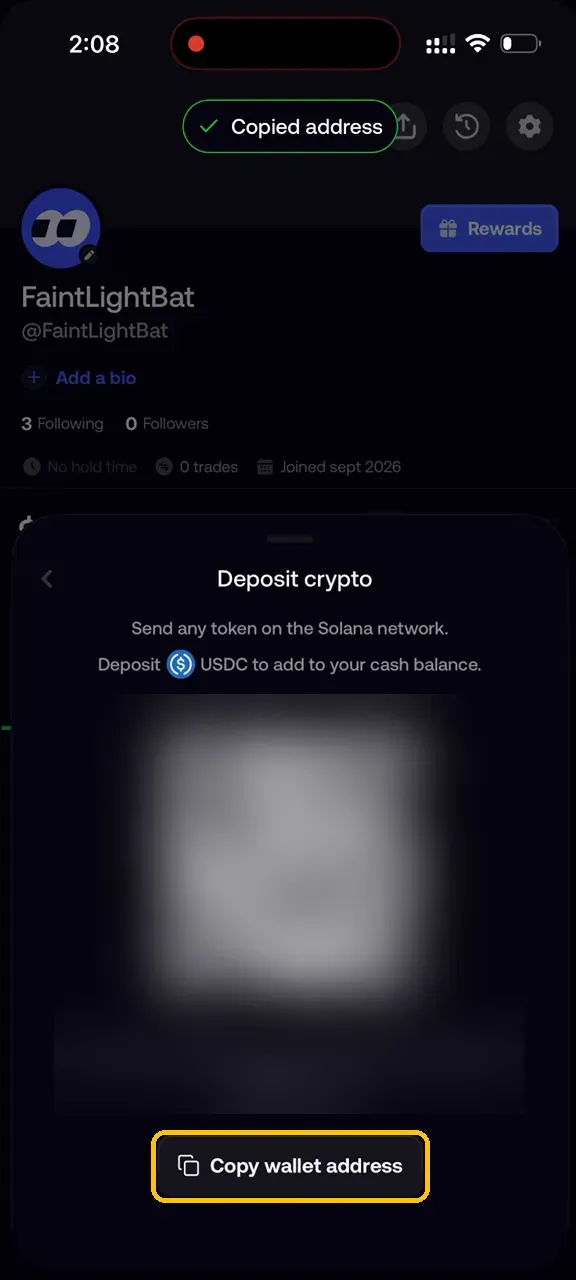
Tap Copy wallet address, then send your USDC to it. The balance updates once the deposit confirms.
Trade INJ
Step 1. Search for Injective
Open the search tab, select Tokens, and type injective.
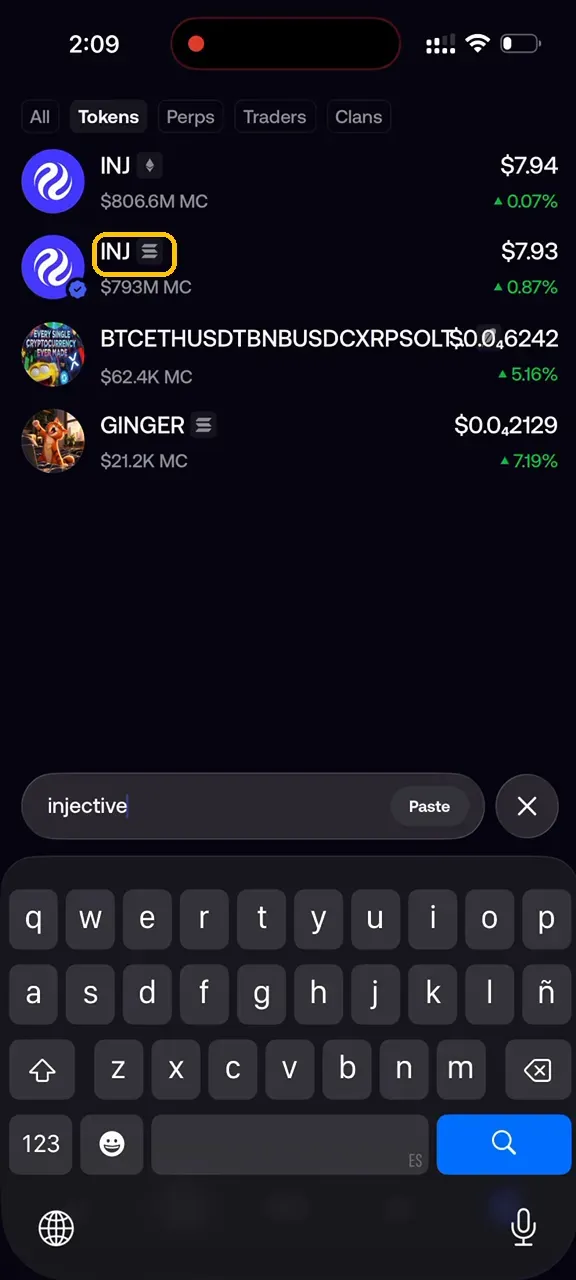
Step 2. Open the right INJ listing
Check the badge next to each ticker and open the one on the chain you want. Confirm the contract with the copy control in the header.
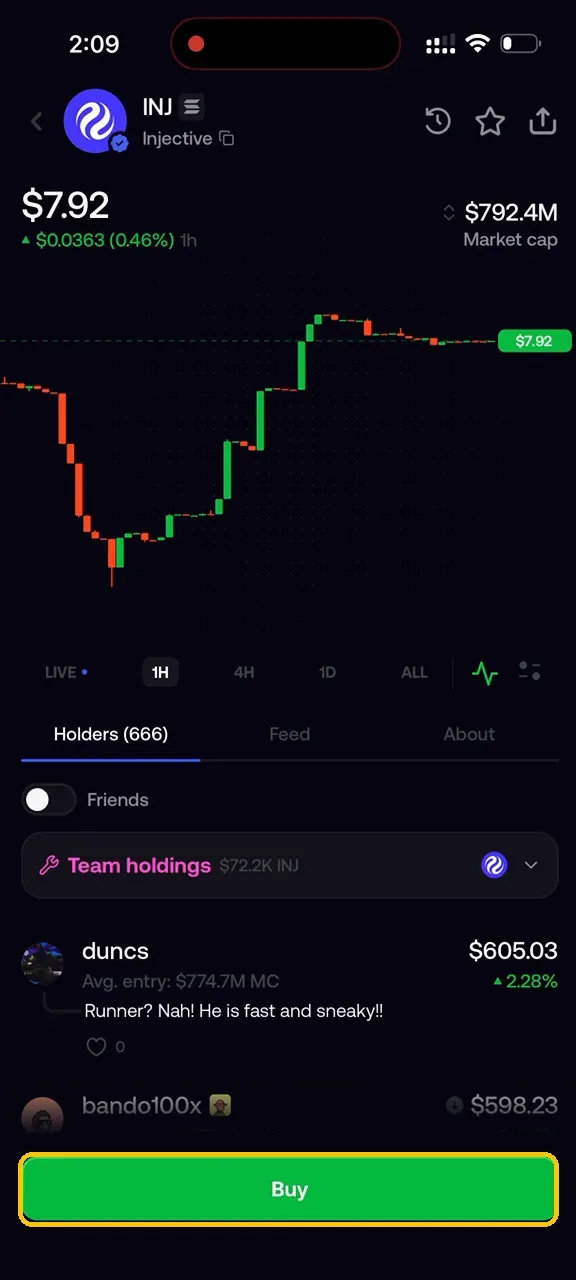
Step 3. Enter your amount
Tap the trade button and type an amount, or use the 10%, 25%, 50%, and Max shortcuts. Check the estimate and the fee before you commit.
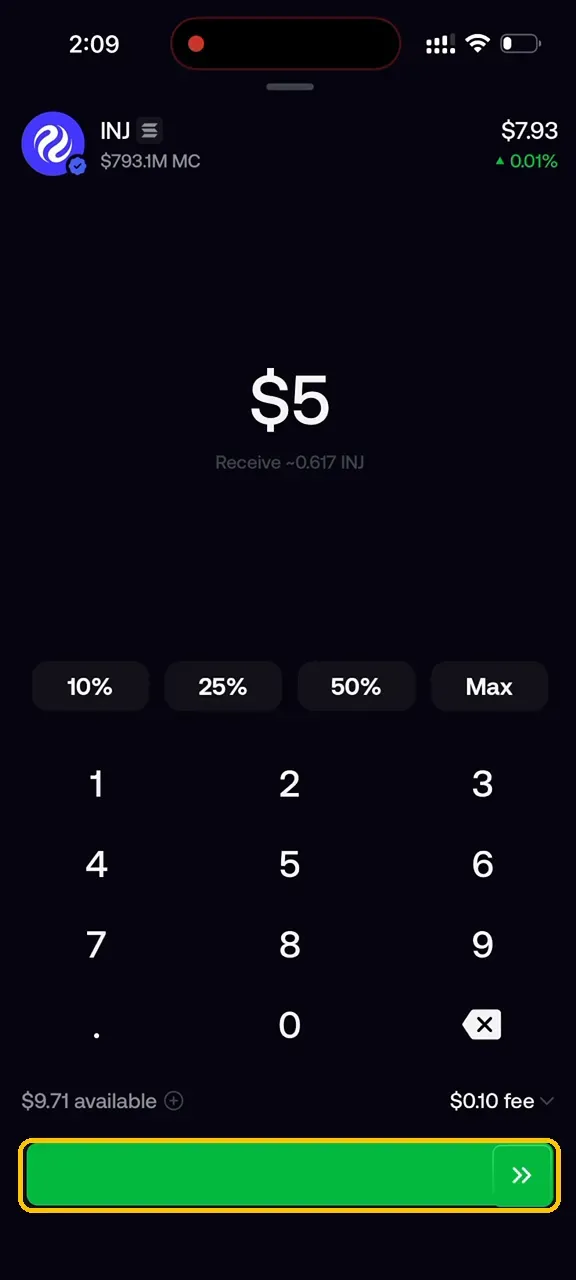
Step 4. Slide to trade
Drag the slide control to submit the trade.
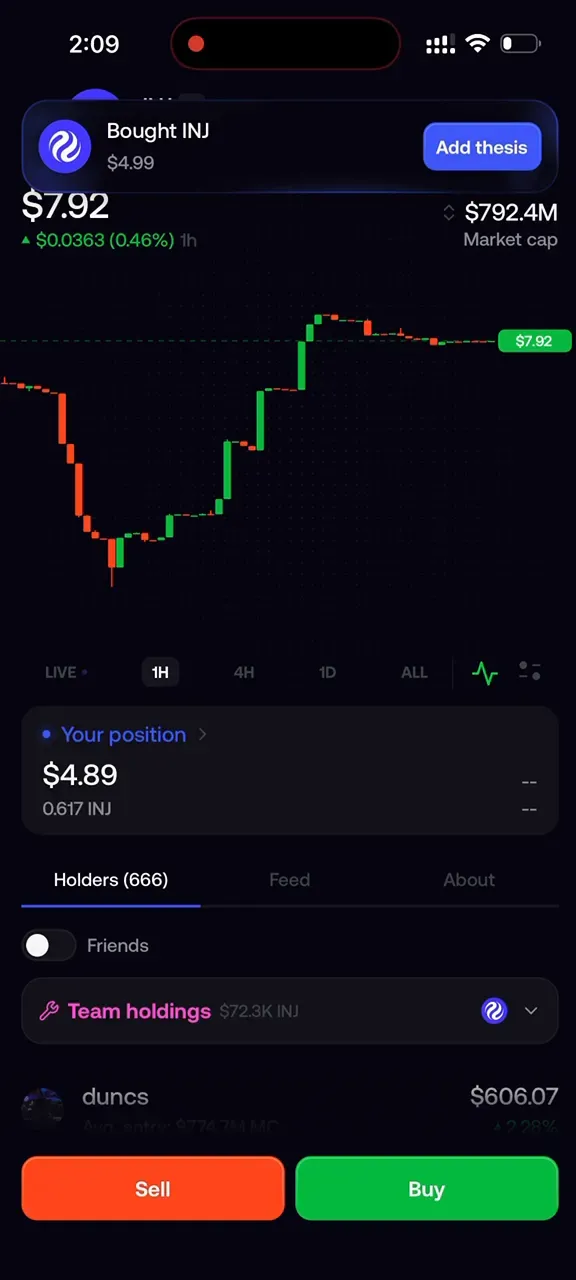
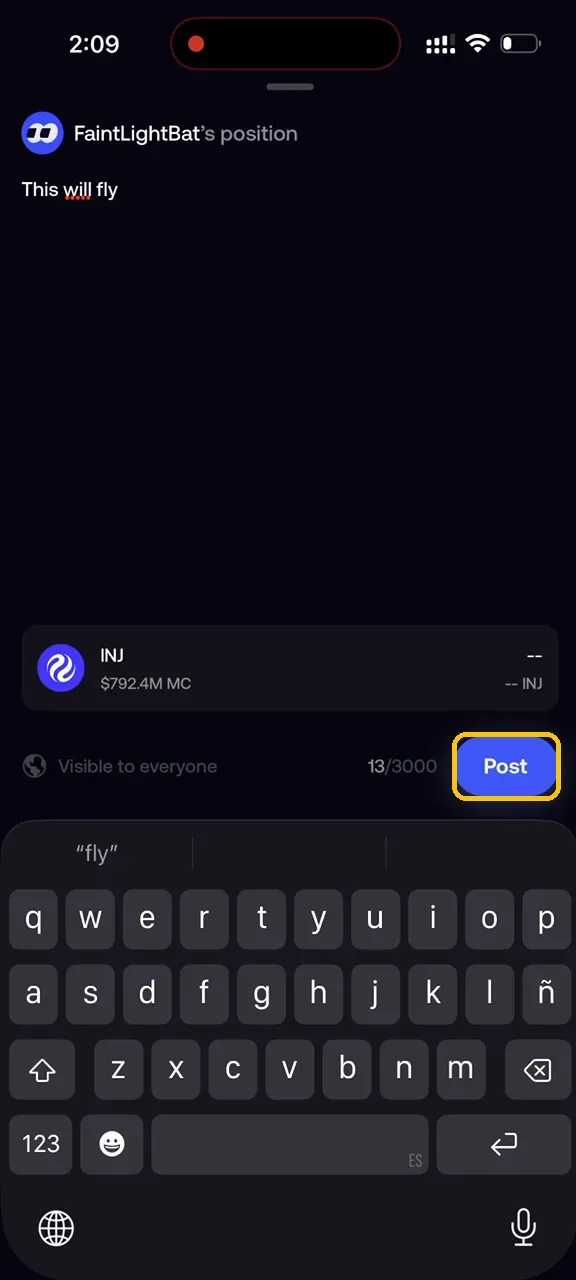
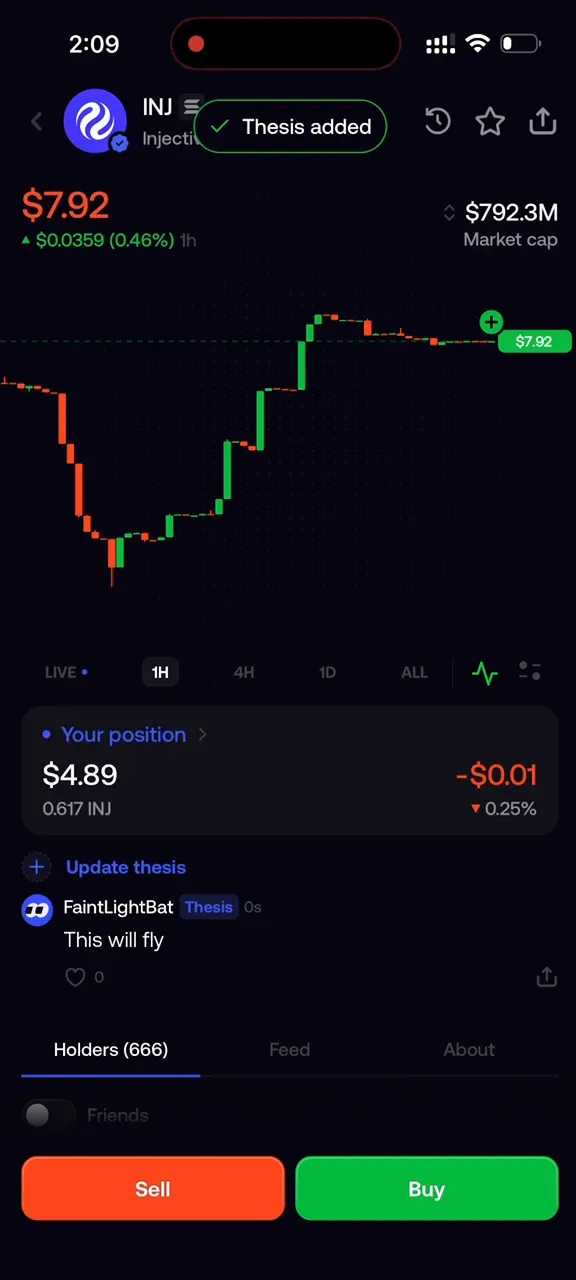
Step 5. Add a thesis, if you want one
Optional. Tap Add thesis, write your note, and tap Post. It is public.
Common errors
Two INJ results come up and you do not know which to open
Read the badge next to the ticker. It names the chain the listing trades on. Copy the contract from the token page if you need to match it against an address you already hold.
The Perps tab shows INJ with a 5x tag
That is a leveraged perpetual, not the spot token. To trade spot INJ, stay on the Tokens tab.
The deposit never arrived
Check that you sent on the same network you selected in the app. The deposit address is specific to that network, and the app does not recover funds sent on another one.
The deposit landed but the cash balance did not move
Check what you sent. USDC is the only asset that credits cash, and cash is what trades are placed with.
The trade screen says you do not have enough
Look at the available line above the slide control. The fee comes out on top of the amount you type. Deposit more, or lower the amount.
Start with INJ
Open Fomo, deposit USDC, and search Injective. Check the chain badge and the contract, read the estimate and the fee, then slide to trade.

About Injective
Injective is the first blockchain purpose-built for finance, enabling users, institutions, and AI agents to trade, tokenize, and transact at scale. Proudly made in America, Injective provides foundational blockchain infrastructure for global markets, with embedded financial primitives spanning stablecoins, real-world assets, payments, and programmable perpetuals through a unified onchain engine. Injective is used by Fortune 500 companies, banks, fintechs, and governments to power an open economy where any asset can be accessed anytime, from anywhere. Builders can deploy across multiple virtual machines like WASM and EVM, connect to native financial modules, and launch markets with deep liquidity from day one. INJ is the native token powering the rapidly growing Injective ecosystem and the new internet economy.
Website | Telegram | Discord | Blog | Twitter/X | Youtube | Facebook | LinkedIn | Reddit | Instagram | Orbit Newsletter