Move SOL from Solana to Injective with Phantom and deBridge.
Phantom signs the transaction on Solana. deBridge then executes a cross-chain swap that delivers INJ to your destination address on Injective. Your SOL does not arrive as wrapped SOL. It is exchanged for INJ as part of the route.
You will use Phantom for the Solana side of the transfer and an Injective wallet that provides a destination address beginning with 0x, such as MetaMask, to receive and manage the INJ. Injective supports both 0x and inj address formats, which map to the same account. Learn more in the Injective wallet documentation and address documentation.
This guide walks through the full process using the official deBridge app.
Before You Begin
You need:
- Phantom installed from the official Phantom website
- SOL in your Phantom wallet on Solana Mainnet
- Additional SOL available for the Solana network fee and the fees shown in the deBridge quote
- An Injective-compatible EVM wallet, such as MetaMask, with a destination address beginning with
0x
If you need to set up Injective in MetaMask, use the official Add Network to Your Wallet page. Injective EVM Mainnet uses chain ID 1776.
Check the domain before connecting your wallet. The official app address is app.debridge.com.
Never enter your Phantom recovery phrase or private key into deBridge or any website. Phantom connections and transaction approvals happen inside the wallet.
Step 1 - Open deBridge
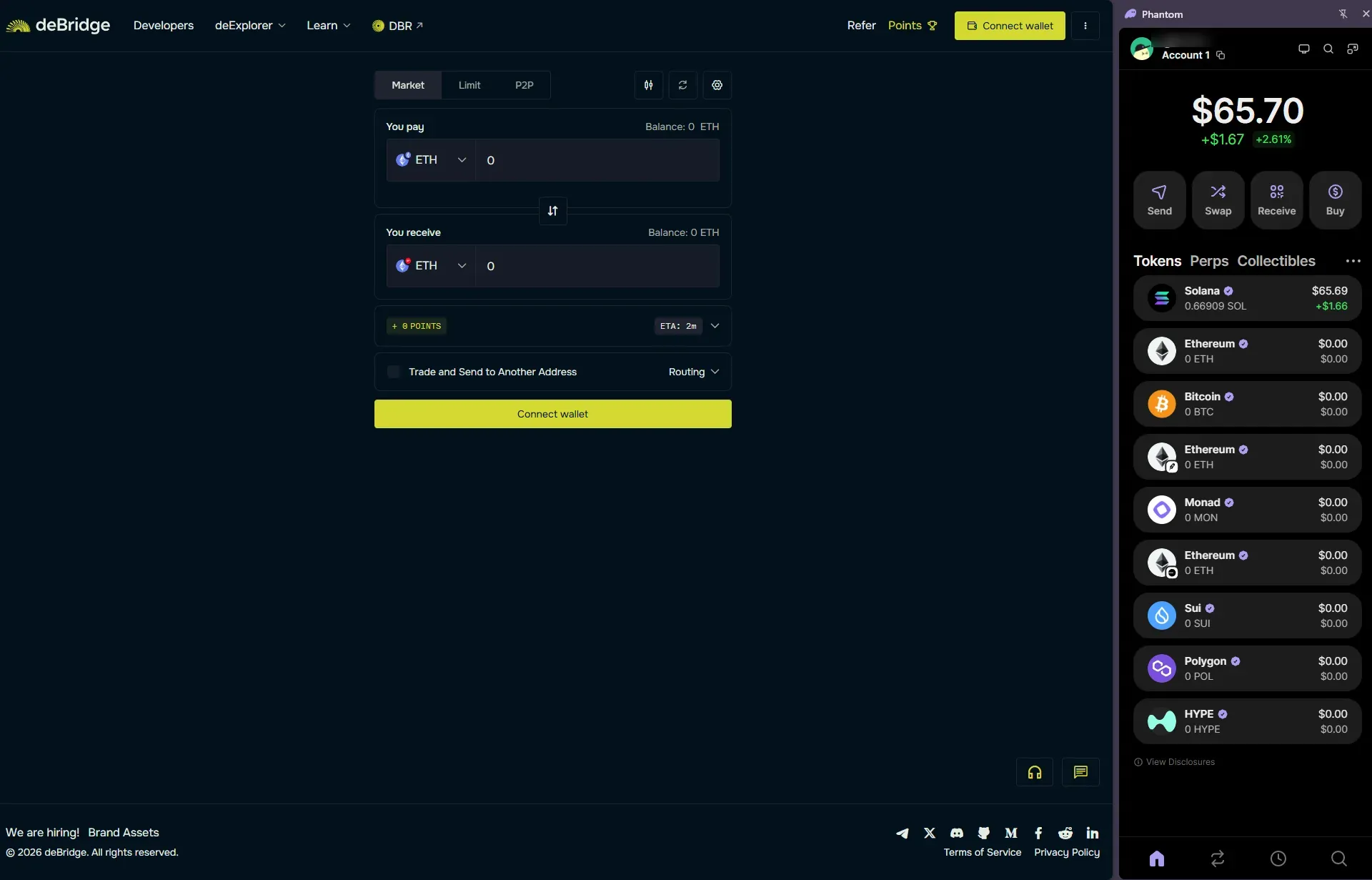
Go to the deBridge app.
The interface shows the asset you pay with at the top and the asset you receive below it. Keep Market selected for a standard cross-chain swap.
Step 2 - Connect Phantom
Select Connect wallet.
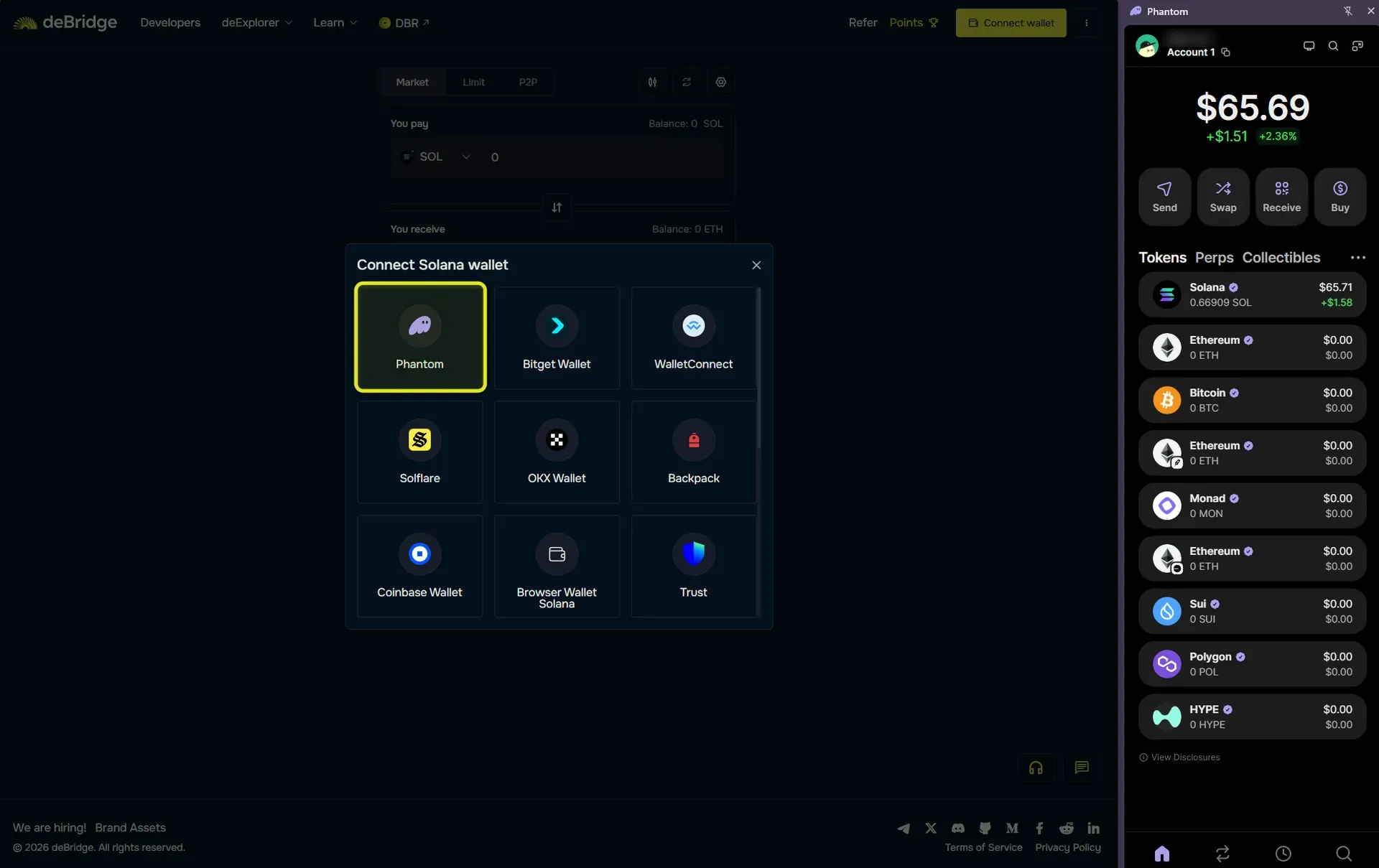
Choose Phantom from the Solana wallet list. Phantom will open and ask you to approve the connection. Select the account holding the SOL you want to transfer, then approve the connection.
Connecting lets deBridge view your public Solana address and request transactions. It does not move funds by itself.
Step 3 - Select Solana and SOL as the Source
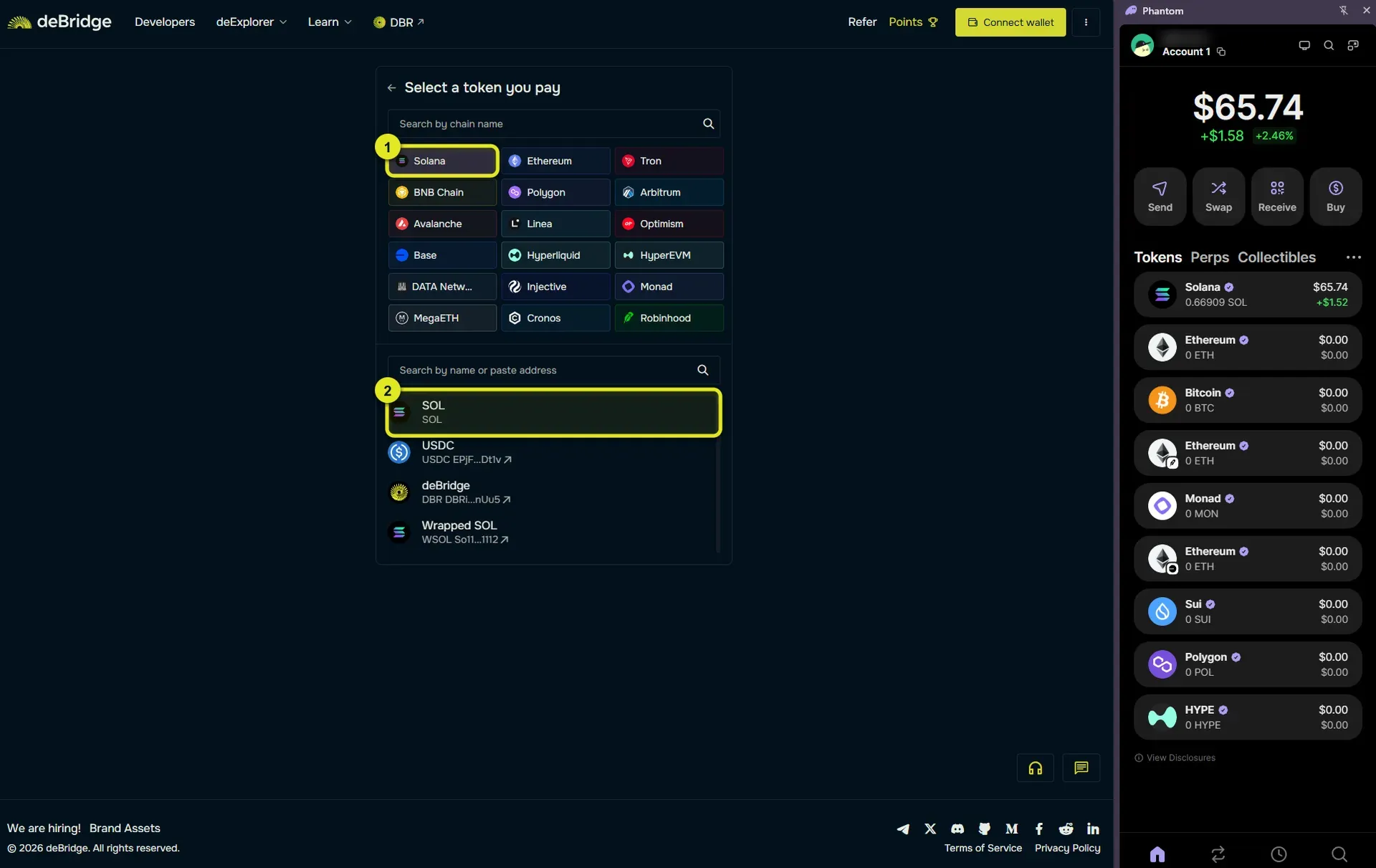
Open the token and network menu under You pay.
Select Solana as the source network and SOL as the source asset. deBridge will display the SOL balance available in your connected Phantom account.
Keep enough SOL in Phantom to cover the source transaction and the fees shown in the quote. Do not enter your entire balance.
Step 4 - Select Injective and INJ as the Destination
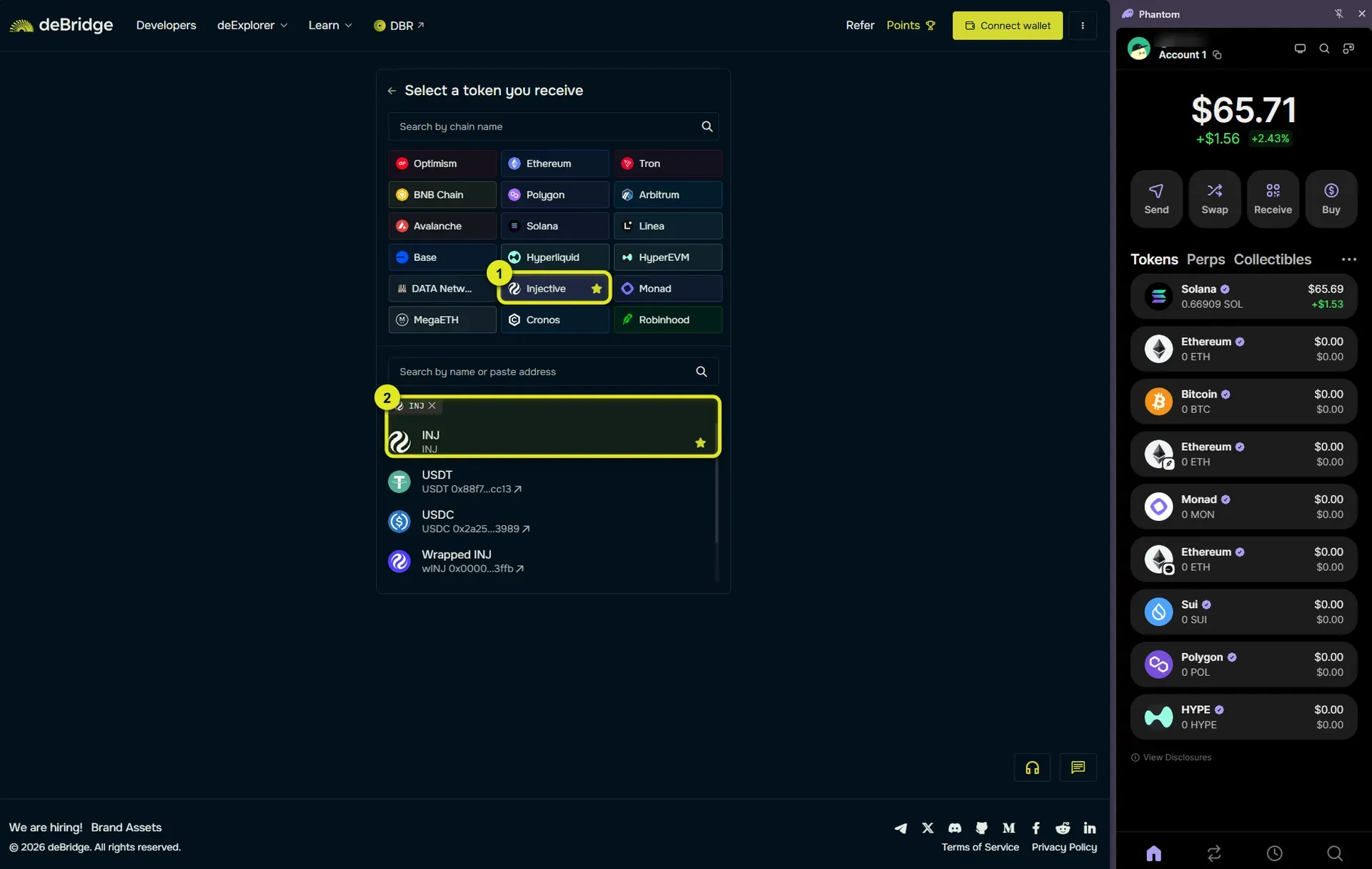
Open the token and network menu under You receive.
Select Injective as the destination network and INJ as the destination asset.
Your completed route should show:
- Source network as Solana
- Source asset as SOL
- Destination network as Injective
- Destination asset as INJ
This is a cross-chain swap from SOL into INJ. deBridge uses its liquidity network to deliver the requested asset to the destination wallet. Read more about the deBridge execution model.
Step 5 - Enter Your Injective Destination Address
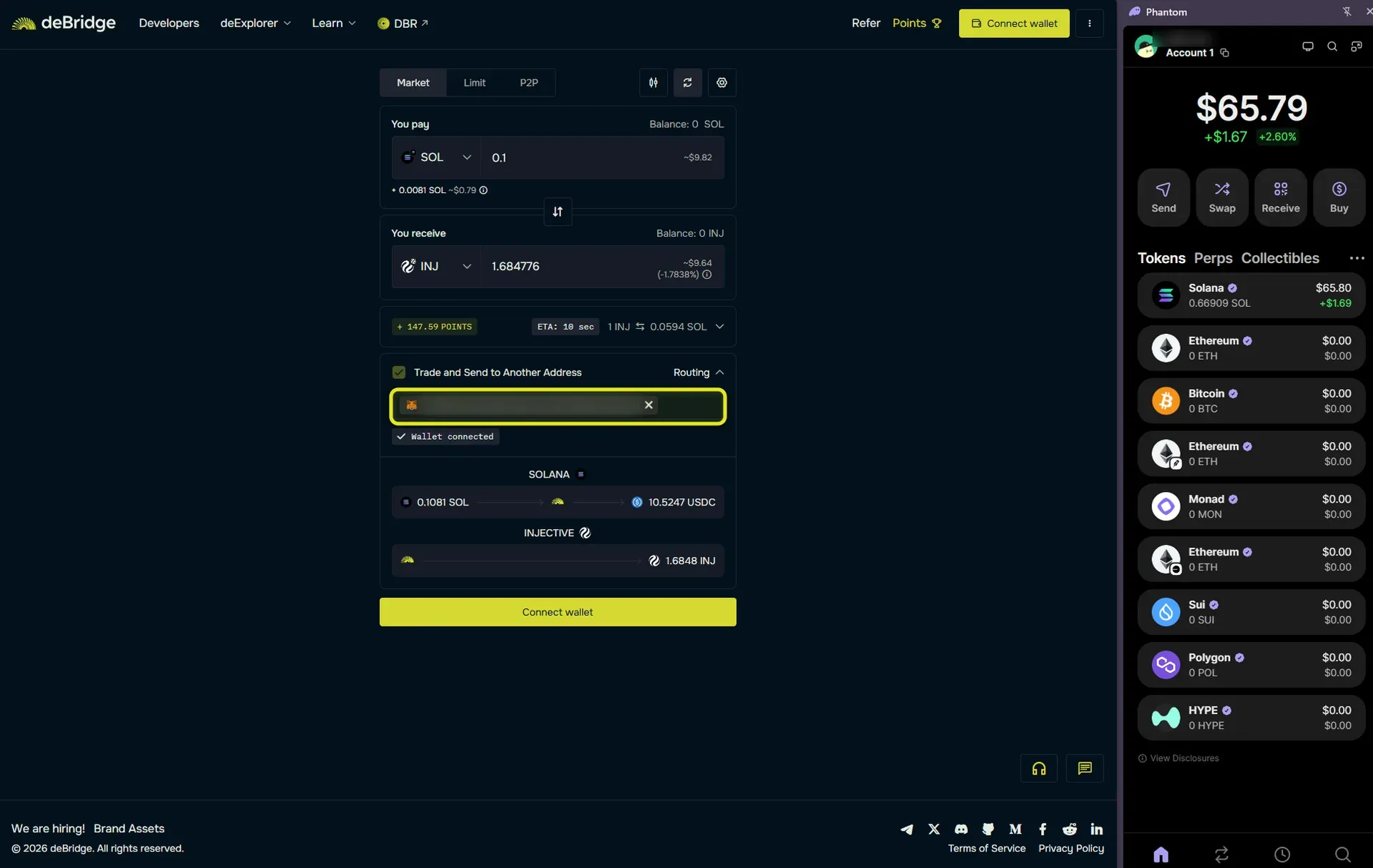
Under Trade and Send to Another Address, paste the 0x address from the EVM wallet you use with Injective.
The current deBridge route expects an Injective address in hexadecimal format beginning with 0x. Do not paste your Solana address from Phantom into this field. Do not paste your address in the format beginning with inj.
Injective's 0x and inj addresses are two formats for the same underlying account and map to each other one-to-one. Both addresses for an account can be viewed from the official Injective explorer, injscan.com. If you use MetaMask with Injective, copy the public 0x address from that account. Double-check the first and last characters after pasting it.
Avoid using a centralized exchange deposit address unless the exchange explicitly confirms that it supports INJ deposits through the Injective network.
Step 6 - Enter the Amount
Enter the amount of SOL you want to transfer.
deBridge will calculate the estimated INJ you will receive and display the route, fees, and estimated completion time. Review the live quote because rates and fees can change. A first deBridge order from a Solana wallet may also include account setup costs shown in the transaction estimate.
Start with a small transfer when using deBridge or a new destination address for the first time.
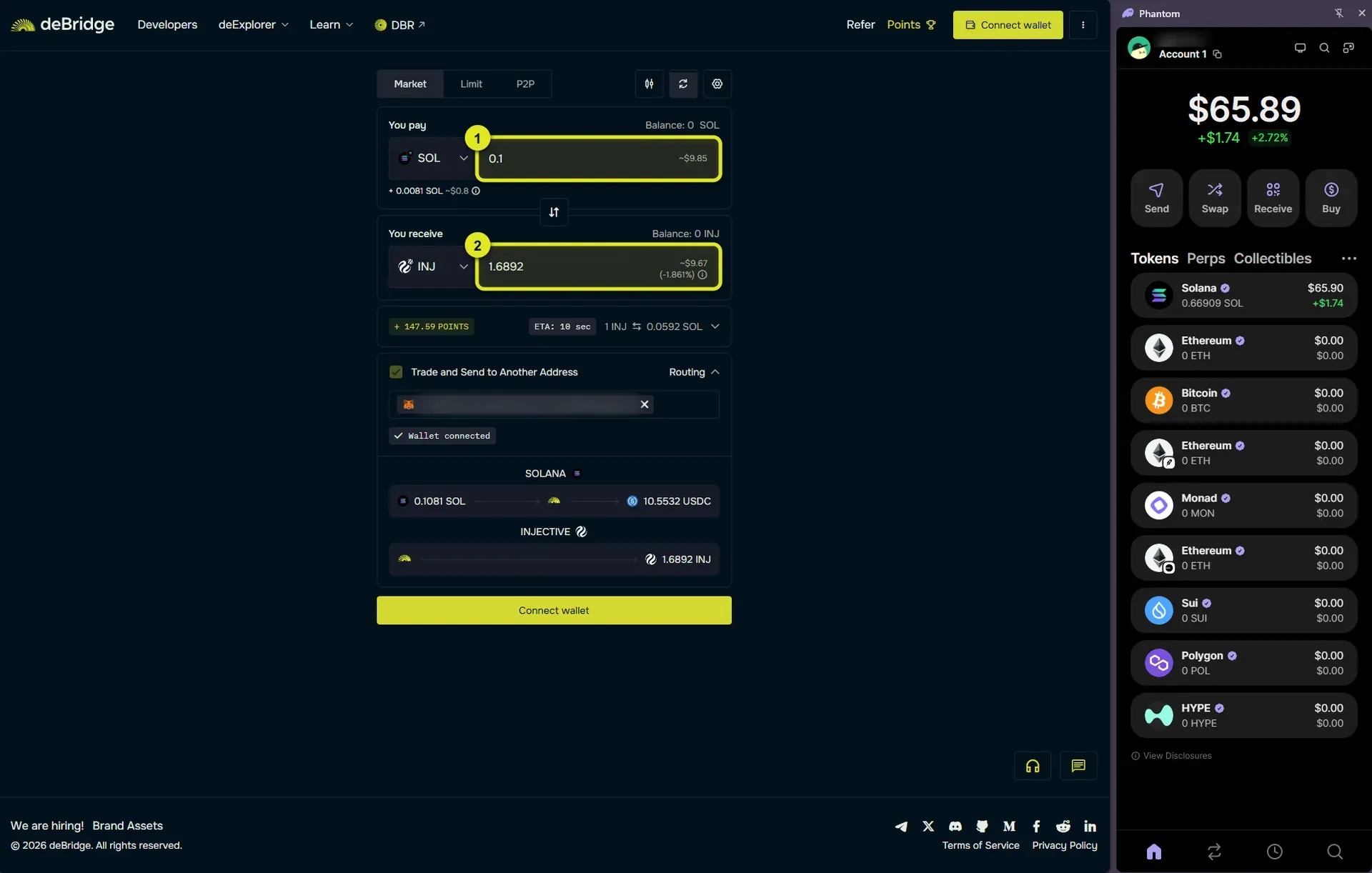
Step 7 - Review and Confirm the Trade
Check every detail before signing:
- The source network is Solana
- The source asset is SOL
- The destination network is Injective
- The destination asset is INJ
- The destination is the correct 0x address that you control
- The estimated INJ output, rate, and total fees match your expectations
Select Confirm trade when you are ready.
Phantom will open with the Solana transaction. Review the amount, network fee, and transaction details inside Phantom, then approve the transaction.
deBridge uses a non-custodial order model. The source transaction creates an order, and a solver fulfills it by delivering the quoted asset to the recipient on the destination chain. deBridge documents the protocol's fees and supported chains.
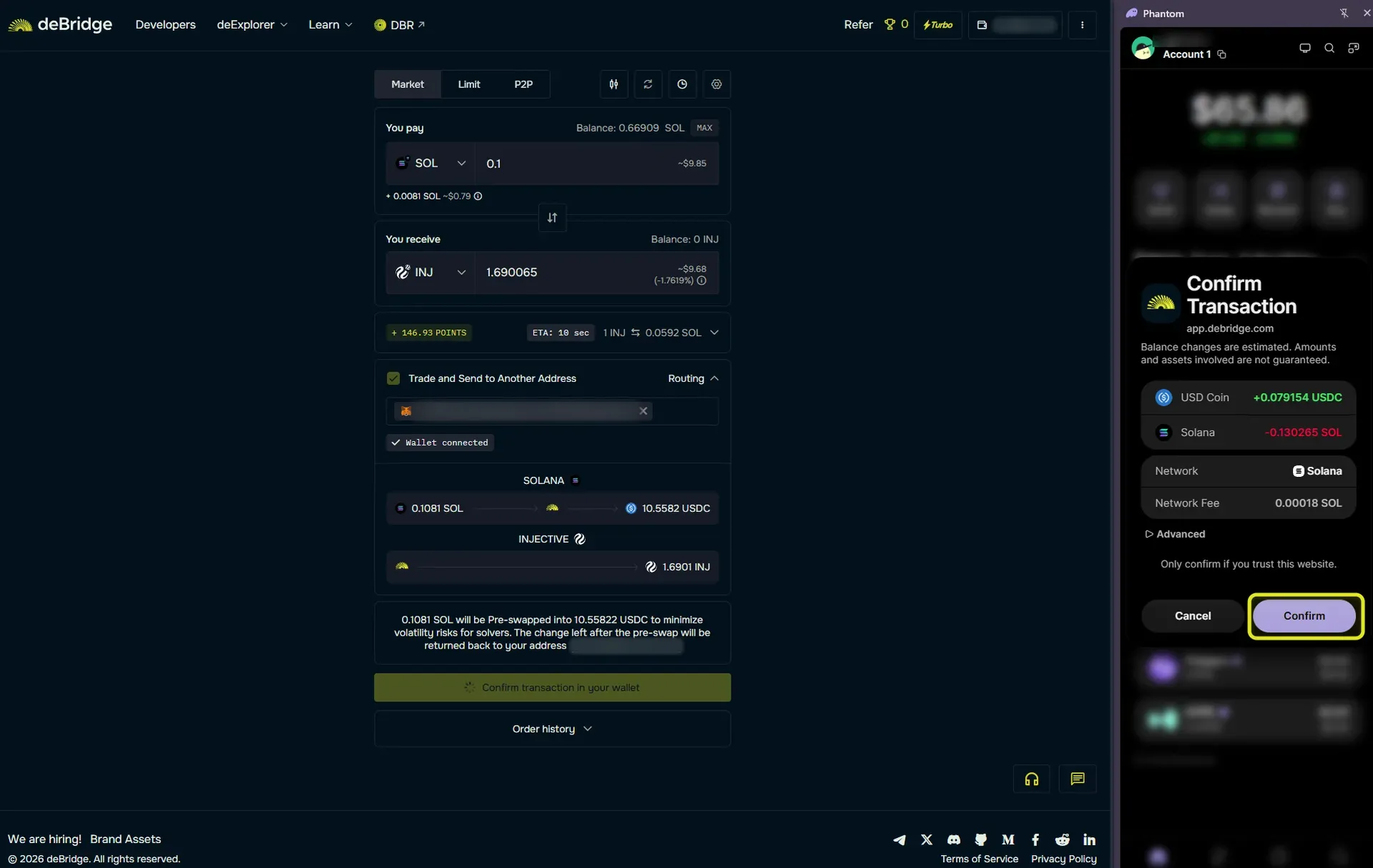
Step 8 - Track the Transfer
After Phantom submits the transaction, deBridge will display the order status.
Keep the page open until an order ID or tracking link appears. Save the order ID so you can reopen the transfer in deExplorer if needed. The source transaction must confirm on Solana before the INJ is delivered on Injective.
Processing time depends on network conditions and route availability. Wait for the status to show that the order has been fulfilled before treating the transfer as complete.
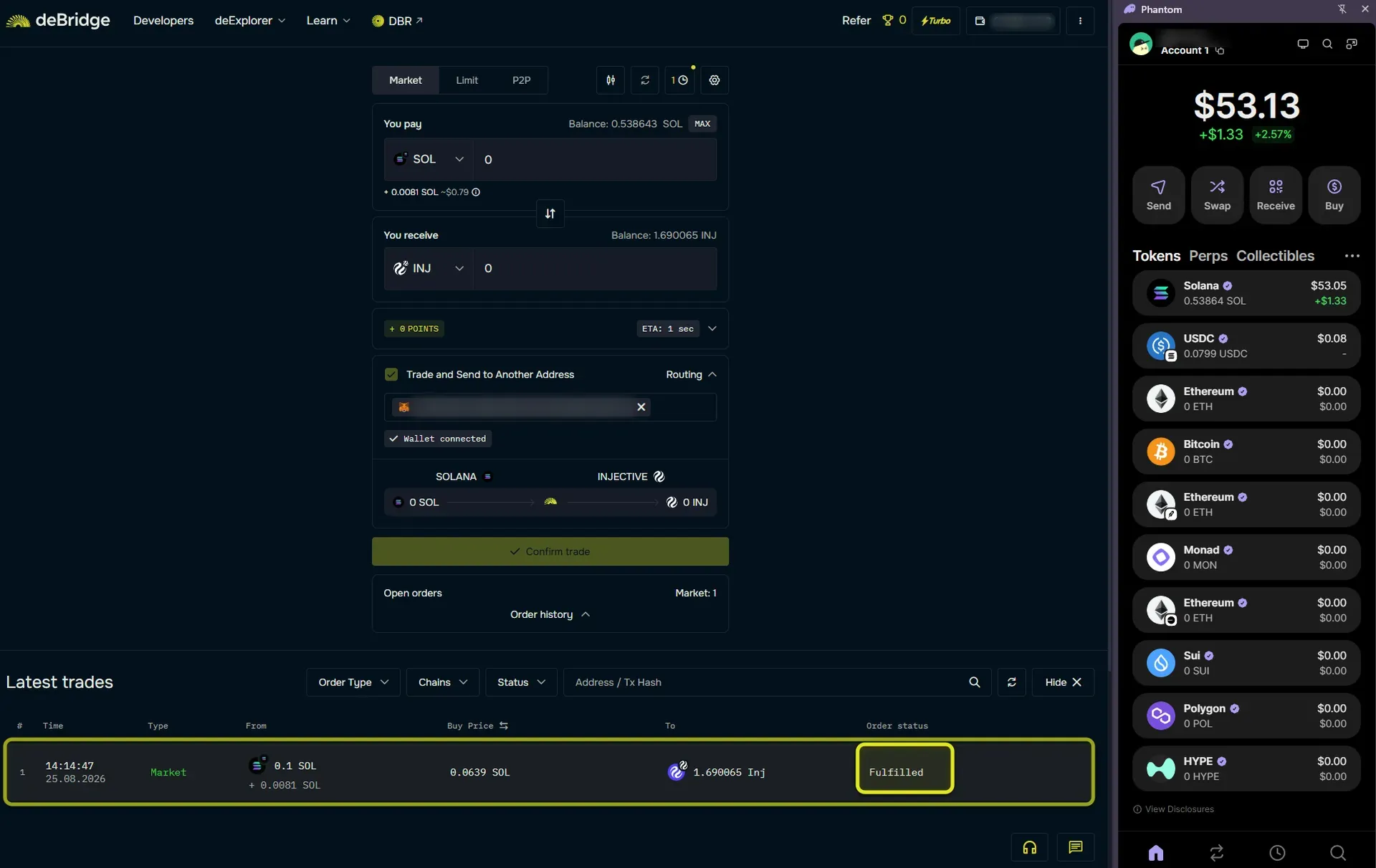
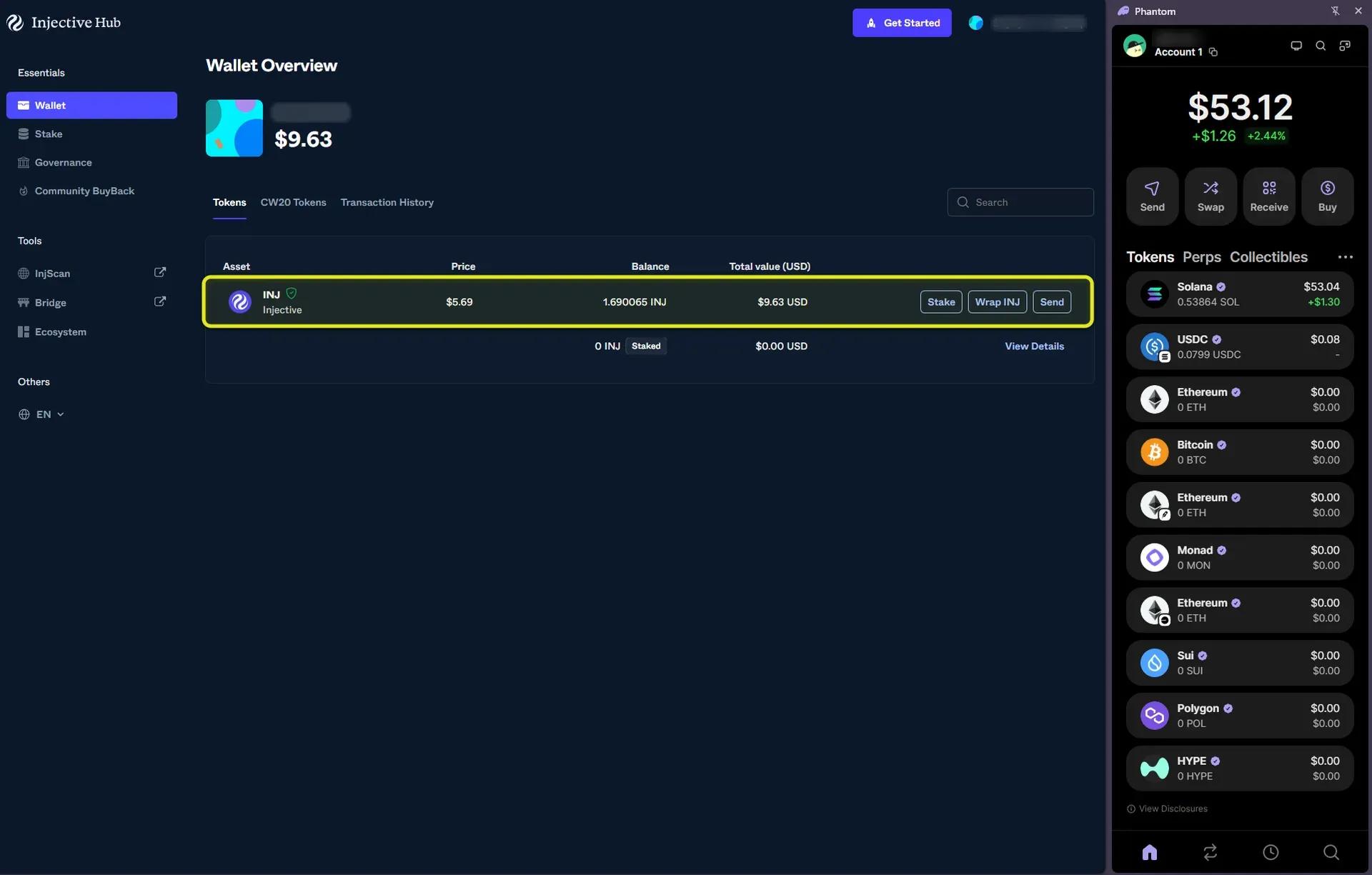
Step 9 - Verify Your INJ on Injective
Once deBridge marks the order as fulfilled, open the Injective Hub Wallet page and connect the wallet that owns the destination 0x address.
Confirm that the received INJ appears in the wallet balance. You can also search the destination address or transaction on injscan.com.
Your SOL has now been exchanged for INJ and delivered to your account on Injective.
Bridge SOL to Injective
Phantom and deBridge give Solana users a direct route into Injective.
Open the deBridge app, connect Phantom, choose SOL on Solana and INJ on Injective, enter an Injective 0x destination address, and approve the transaction in Phantom. Once the order is fulfilled, verify the INJ in your Injective wallet.
Disclaimer
This article is for informational purposes only. It is not financial or investment advice.
Wallet support, bridge interfaces, available routes, fees, rates, and processing times can change. Verify the domain, networks, assets, destination address, amount, and fees before signing any transaction.

About Injective
Injective is a lightning fast interoperable layer one blockchain optimized for building the premier Web3 finance applications. Injective provides developers with powerful plug-and-play modules for creating unmatched dApps. INJ is the native asset that powers Injective and its rapidly growing ecosystem. Injective is incubated by Binance and is backed by prominent investors such as Jump Crypto, Pantera and Mark Cuban.
Website | Telegram | Discord | Blog | Twitter | Youtube | Facebook | LinkedIn | Reddit | Instagram | Orbit Newsletter