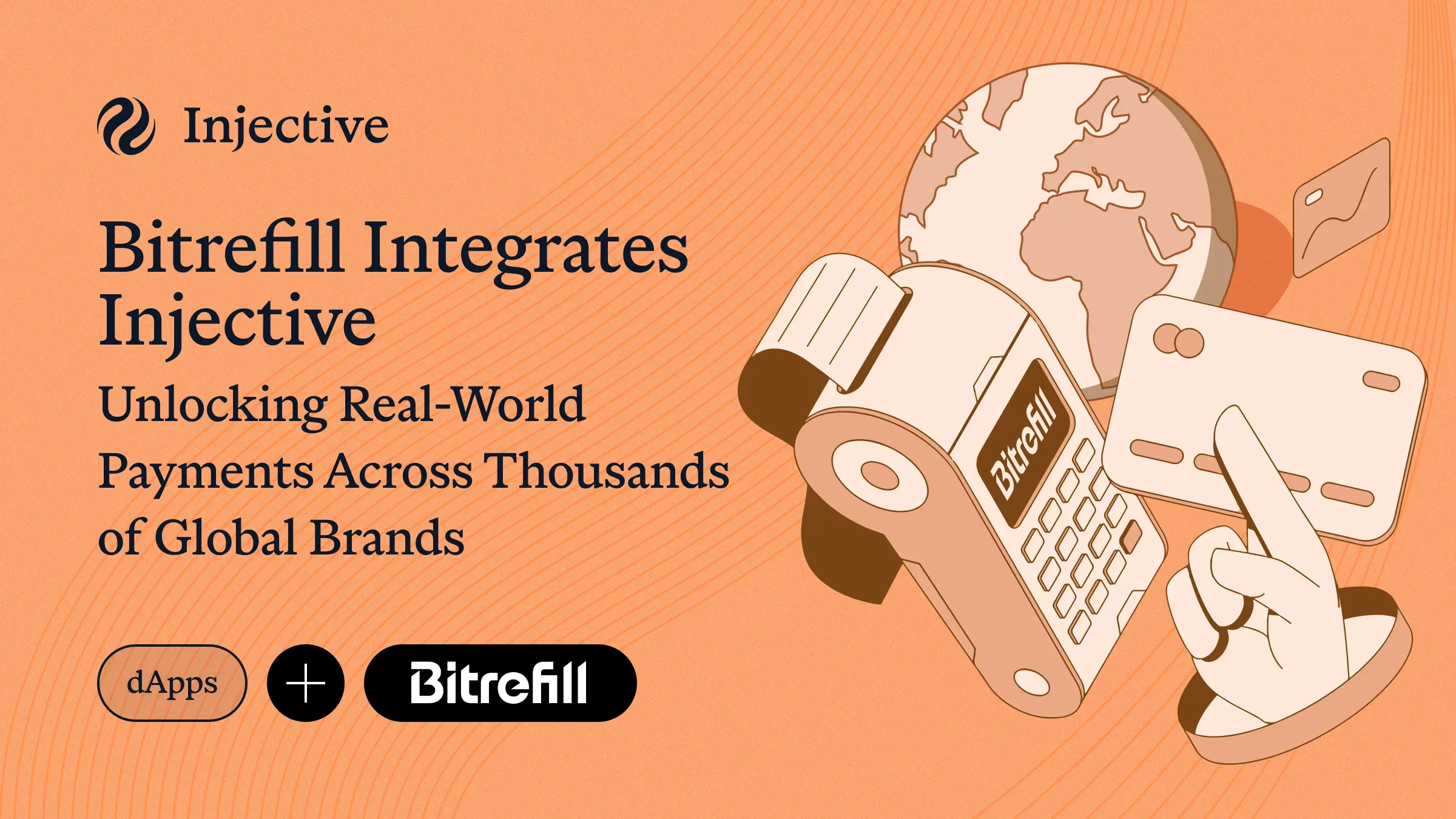
Injective has launched onchain payments to over 8,000 global merchants with its latest integration with Bitrefill.
The payments can be carried out using native Injective USDC, which today is the canonical standard on over 20 blockchains. Your onchain balance can now pay for everyday purchases, from DoorDash to Amazon.
Bitrefill brings an established crypto commerce platform to the Injective ecosystem. It has more than 1 million customers and a catalog of 8,000+ products across 180+ countries, spanning gift cards, eSIMs, payment cards, and phone refills.
LI.FI Pay powers the checkout connection. It routes USDC from Injective to the asset and network Bitrefill accepts, handling the required swaps and bridging within the payment flow. LI.FI reports more than $80 billion in total transfer volume across its network.
From Onchain Transfers to Everyday Purchases
This launch builds on Injective’s earlier integration with LI.FI, which added INJ and native USDC to LI.FI’s routing infrastructure. That integration connected Injective to a network of 60+ chains and more than 1,000 applications and wallets. Bitrefill brings that connectivity to everyday spending.
The flow starts on Bitrefill. Choose a gift card, select LI.FI Pay at checkout, and choose USDC on Injective as your payment source. LI.FI finds the payment route, and you review the details in your wallet before authorizing payment. Bitrefill delivers the gift card after confirming payment.
How To Check Out with Injective USDC
This desktop walkthrough uses MetaMask and a $10 DoorDash USA gift card. Have MetaMask ready with USDC on Injective, and check the network fees shown during payment. The gift card in this example is redeemable only on DoorDash USA.
Step 1: Choose your Gift Card
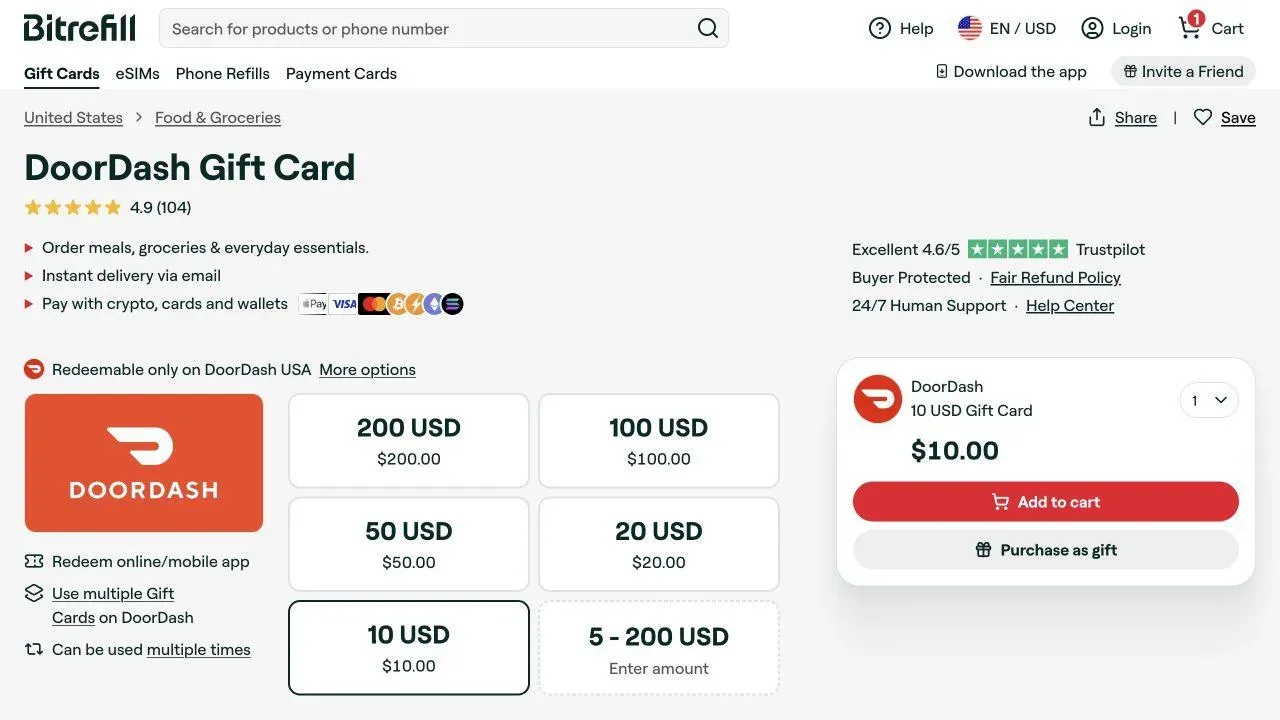
Open Bitrefill’s US store and select DoorDash. Choose your gift card amount and quantity, then click Add to cart. In the cart, check the value and click Checkout. This example uses one $10 card.
Open DoorDash USA on Bitrefill
Step 2: Enter Your Delivery Email
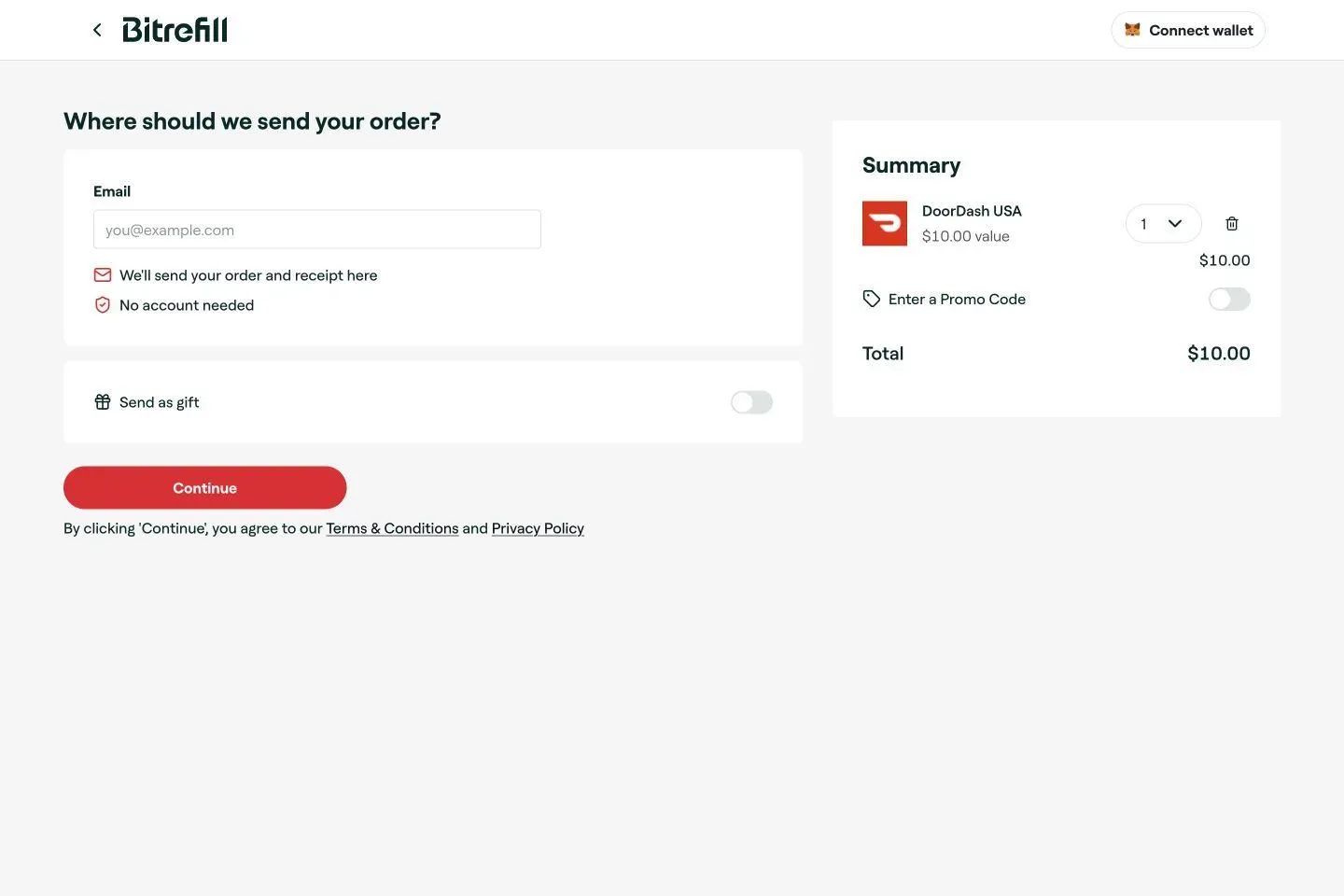
Enter the email address where you want Bitrefill to send your order and receipt. Check the order summary, then click Continue after reviewing Bitrefill’s terms and privacy policy.
Step 3: Choose LI.FI Pay
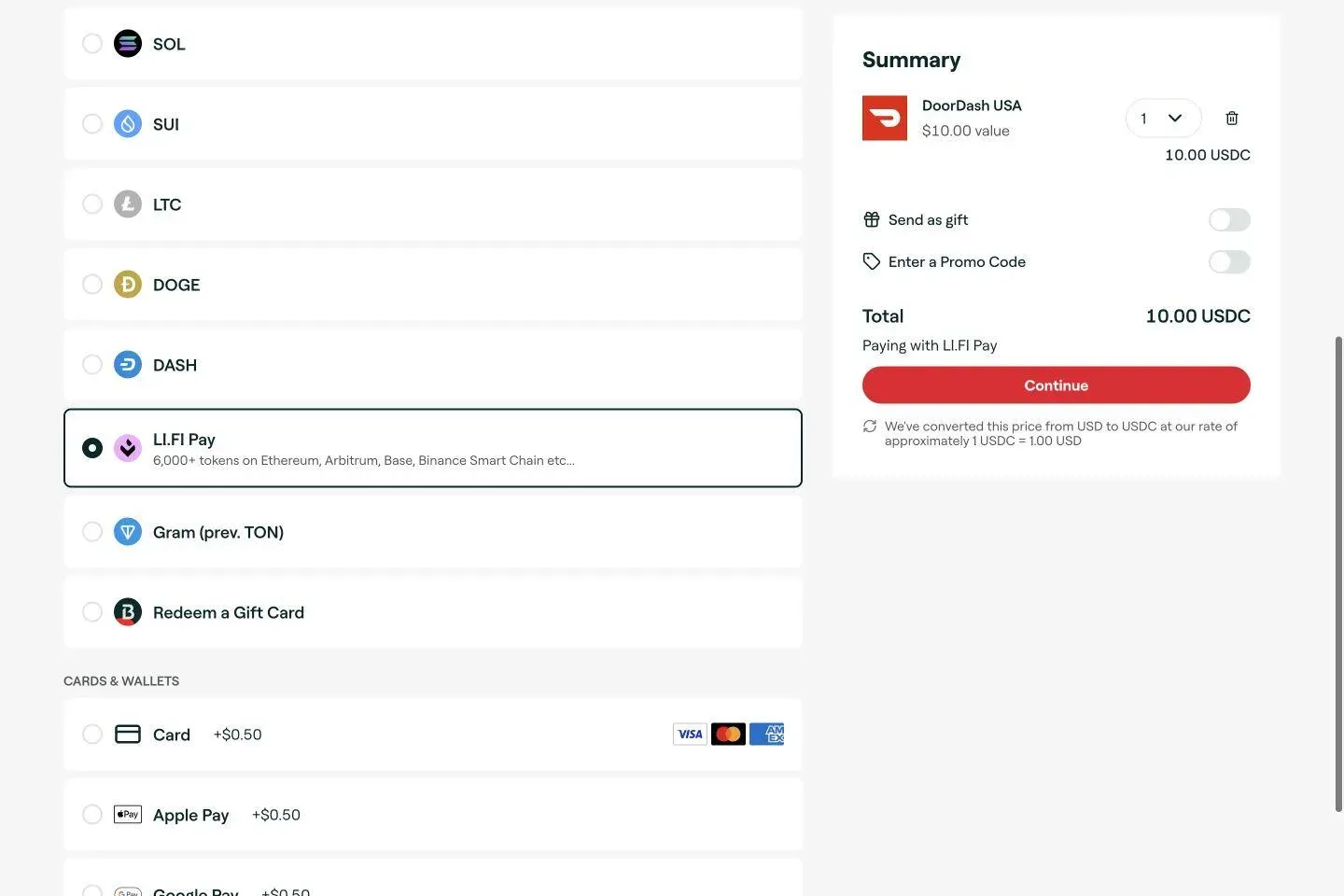
Select LI.FI Pay from the payment methods. Confirm that the summary says Paying with LI.FI Pay, then click Continue to open the payment widget. Use this option to select USDC on Injective.
Step 4: Select USDC on Injective
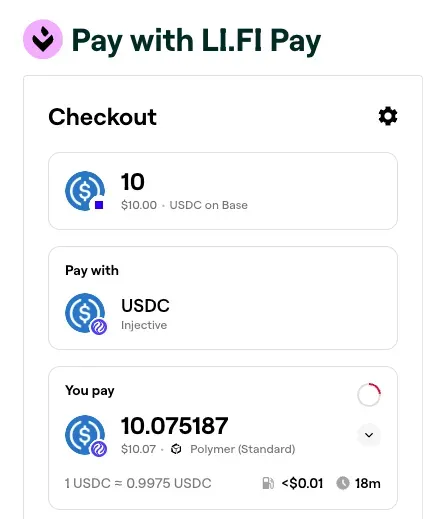
In the LI.FI widget, click Pay with. Open the additional networks button, search for Injective, and select it. Choose USDC from the token list. Check that Pay with now shows both USDC and Injective.
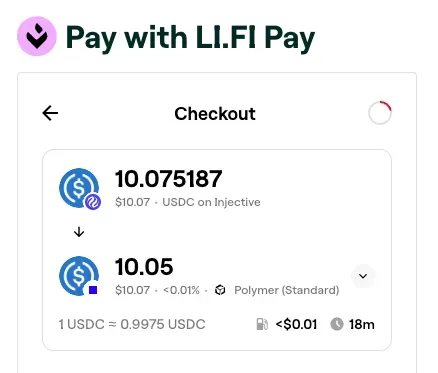
In this captured checkout, the amount at the top is USDC on Base, the asset Bitrefill receives. Your payment source is the USDC on Injective shown under Pay with. LI.FI routes between the two.
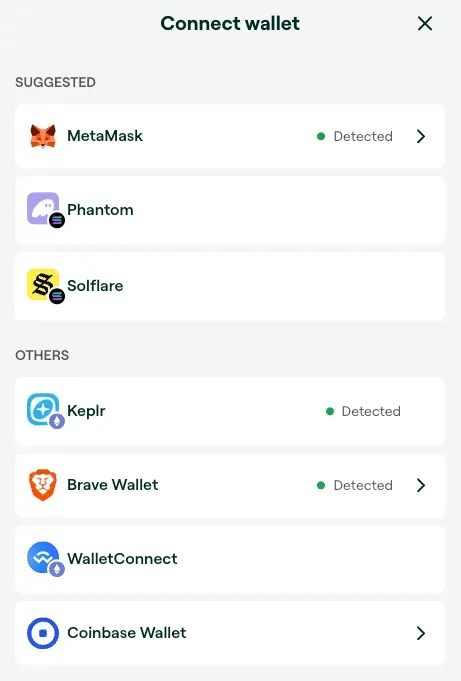
Step 5: Connect MetaMask
Click Connect wallet and select MetaMask. Open your MetaMask browser extension and connect the account you want to use. Check the selected asset and network again after connecting.
Step 6: Review and Authorize Your Payment
Review the live quote and one all the details are confirmed, click the "buy" button before the timer runs out. If the timer, does run out, the quote will need to be re-created and the exact details could change.
Step 7: Receive Your Gift Card
After Bitrefill confirms payment, open your gift card delivery and follow the redemption instructions. For DoorDash, sign in, open Gift Cards, select Redeem, and enter your gift card PIN.
Use your Injective USDC today
Purchase gift cards using Injective USDC today on Bitrefill.

About Injective
Injective is the first blockchain purpose-built for finance, enabling users, institutions, and AI agents to trade, tokenize, and transact at scale. Proudly made in America, Injective provides foundational blockchain infrastructure for global markets, with embedded financial primitives spanning stablecoins, real-world assets, payments, and programmable perpetuals through a unified onchain engine. Injective is used by Fortune 500 companies, banks, fintechs, and governments to power an open economy where any asset can be accessed anytime, from anywhere. Builders can deploy across multiple virtual machines like WASM and EVM, connect to native financial modules, and launch markets with deep liquidity from day one. INJ is the native token powering the rapidly growing Injective ecosystem and the new internet economy.
Website | Telegram | Discord | Blog | Twitter/X | Youtube | Facebook | LinkedIn | Reddit | Instagram | Orbit Newsletter