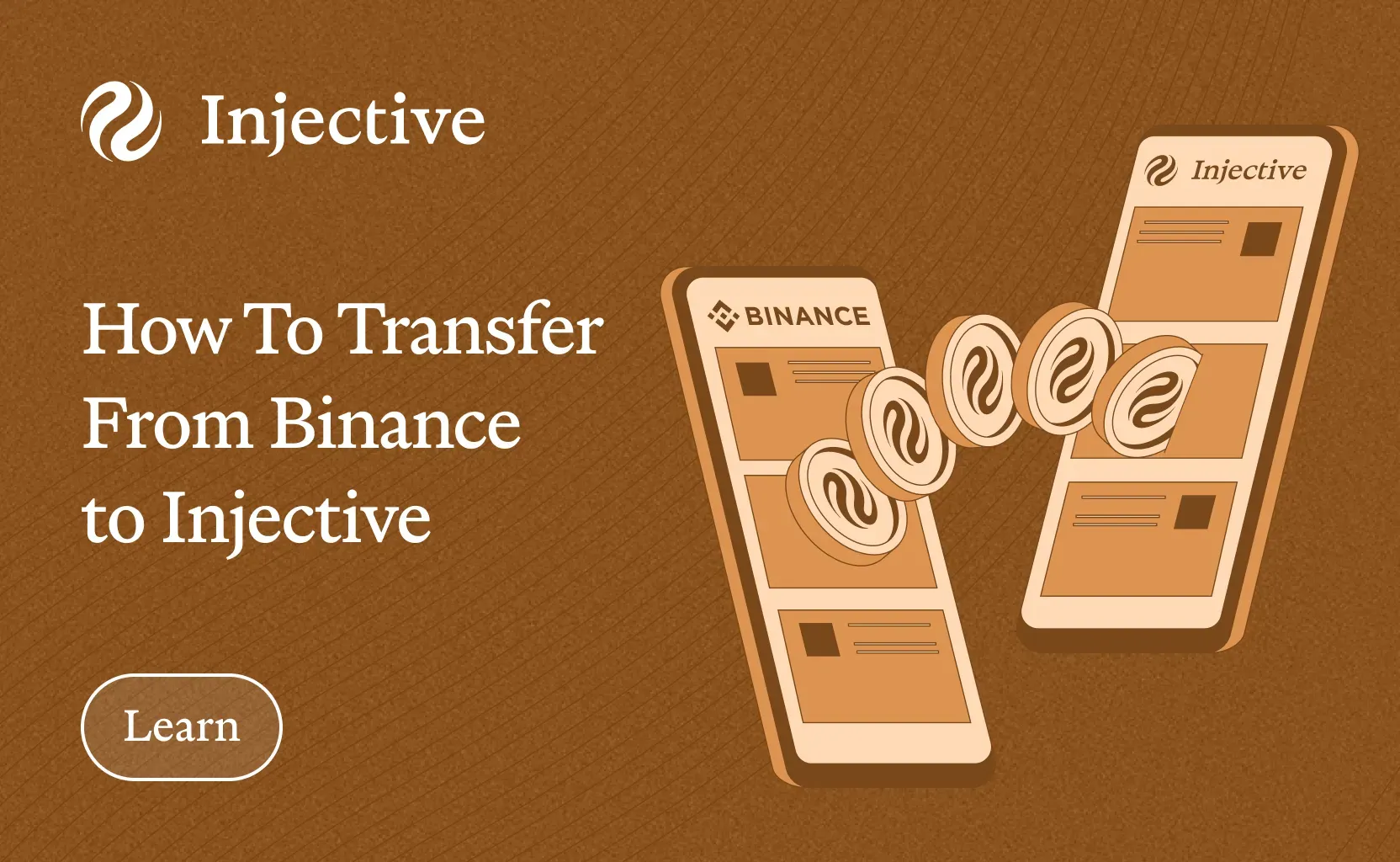
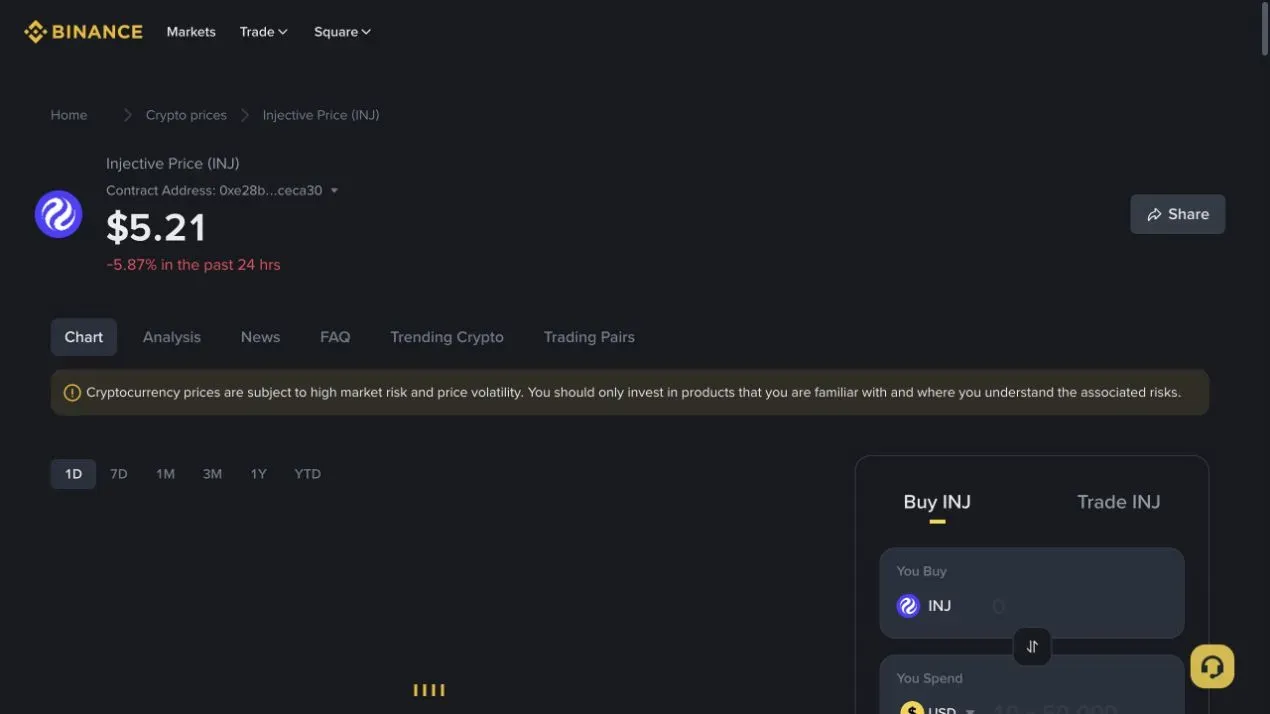
Binance gives eligible users a direct route from an exchange balance to Injective. Buy INJ, copy your Injective address from Keplr, select the Injective network on Binance, and submit the withdrawal.
The network selection decides where the funds go. Stop if Injective does not appear. Do not replace it with Ethereum or BNB Smart Chain and send to an
Binance products differ by country. Binance.US supports native INJ deposits and withdrawals on Injective. Global Binance users must confirm that Injective appears in the live withdrawal screen before sending.
What You Need
Prepare these items before you buy.
- A funded and verified Binance account
- Keplr with Injective added
- Your Keplr address beginning with
inj - Access to your Binance security checks
- A small amount above the live withdrawal minimum
Keplr is the primary wallet in this guide. MetaMask displays an Injective EVM address beginning with
Step 1. Buy INJ on Binance
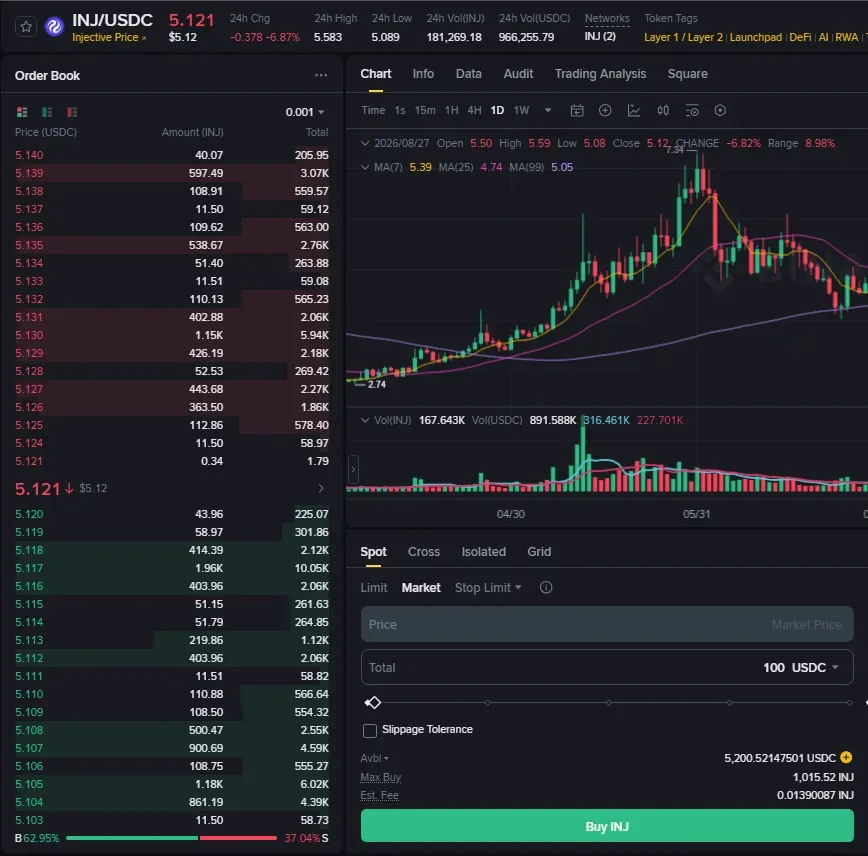
Open Binance and go to Trade, then Spot. Search for an INJ pair available in your region, such as INJ with USDT.
Choose a market order when you want the trade to execute against the current order book. Choose a limit order when you want to set the maximum price you will pay.
Enter the amount, review the asset and pair, then place the order. Confirm that INJ appears in your Spot Wallet before opening the withdrawal screen.
Step 2. Copy Your Injective Address From Keplr
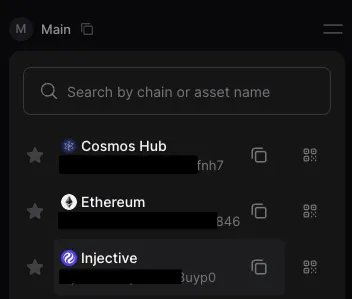
Open Keplr and select Injective from the chain list. Copy the address that begins with
Check the beginning and ending characters after you paste it somewhere safe for comparison. Never type the address by hand.
A personal Keplr address does not need a memo. A memo routes deposits inside some centralized exchanges. Your Keplr account is the final recipient, so use a memo only when the receiving wallet explicitly gives you one.
Step 3. Open the Binance Withdrawal Flow
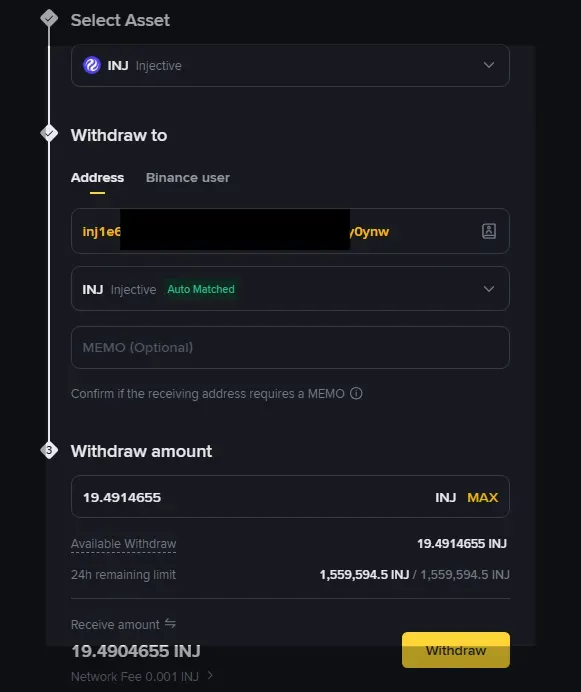
Return to Binance and open Assets, then Overview. Select Withdraw and choose INJ.
Paste the Keplr address into the recipient field. Select Injective as the network. Binance should recognize the native address format.
Stop if the screen shows Ethereum, BNB Smart Chain, or another network. The asset name alone does not make the route compatible.
Step 4. Enter the Amount and Review the Transfer
Enter the INJ amount. Binance will display the network fee, withdrawal minimum, and amount the wallet will receive.
Check every field.
- Asset is INJ
- Network is Injective
- Address begins with
inj - Amount clears the live minimum after fees
- No memo is added unless Keplr gives one
Send a small test amount before moving a larger balance. Confirm the address and network again, then complete the security checks.
Step 5. Confirm the INJ in Keplr
Binance will show the withdrawal status and transaction ID after it broadcasts the transfer.
Open Keplr and refresh the Injective balance. You can also paste the transaction ID or wallet address into InjScan to confirm the recipient and final status.
The exchange can keep a withdrawal pending while it completes an internal review. A pending status on Binance means the exchange has not finished its side of the transfer.
If you hold USDC on Binance
Check the USDC withdrawal network list. If Injective appears, send USDC directly to the Injective address displayed by your receiving wallet.
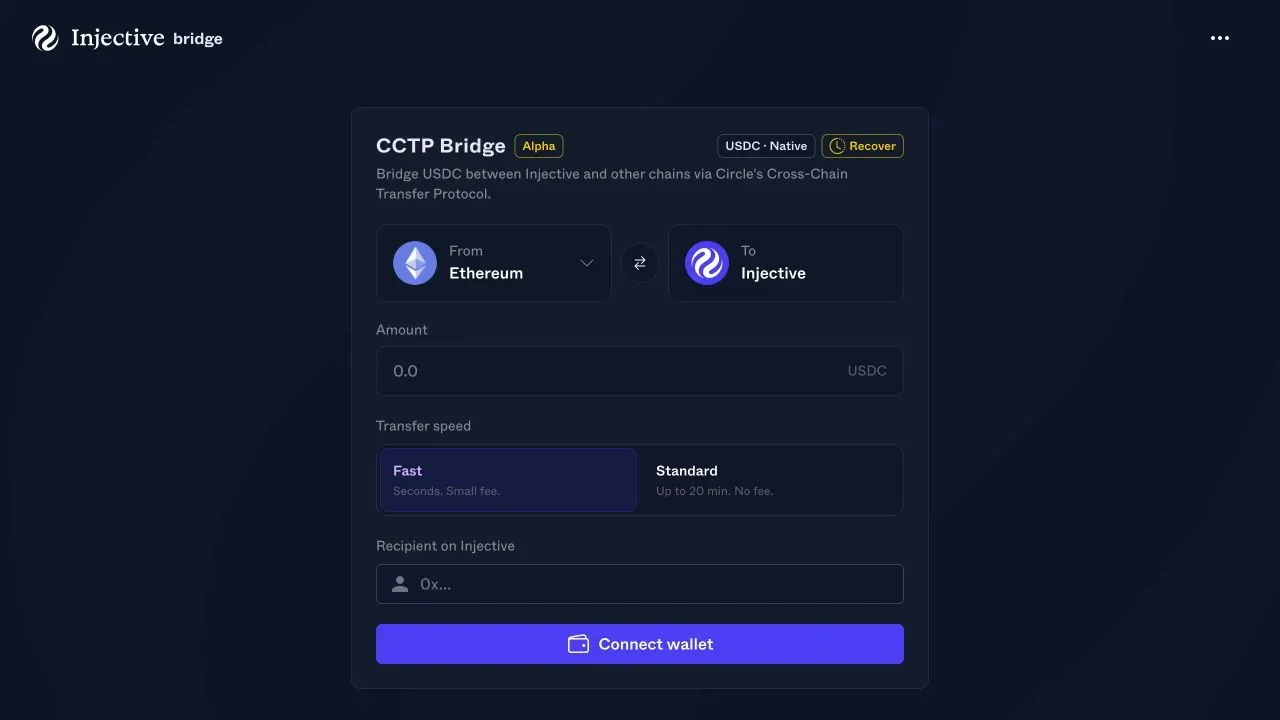
If Injective does not appear, use Circle CCTP through the Injective Bridge. This walkthrough uses Ethereum. Confirm that Ethereum appears under USDC in your Binance account before sending.
- Open MetaMask and copy its Ethereum
0x address. - Withdraw USDC from Binance to that address through Ethereum.
- Keep enough ETH in MetaMask to approve and submit the CCTP transfer.
- Open the Injective Bridge and select USDC Bridge CCTP.
- Set From to Ethereum and To to Injective.
- Enter the amount and confirm the recipient address.
- Choose the transfer speed shown in the live bridge.
- Connect MetaMask and approve the wallet requests.
- Wait for native USDC to appear on Injective.
Native USDC uses one balance across Injective EVM and Cosmos through the MultiVM Token Standard. You do not need to wrap it after the CCTP transfer.
Common errors
Injective is missing from the network list
The route is unavailable or temporarily paused. Do not choose another network for the Keplr address. Use the USDC bridge path or wait for the native route to return.
Binance rejects the address
Confirm that you copied the Injective address from Keplr. It must begin with
The amount is below the minimum
Return to the amount field and enter a value above the live minimum. Fees and minimums change, so the confirmation screen is the source of truth.
The withdrawal is pending
Complete any open security request. Then check Binance network status. A pending exchange review is separate from an onchain confirmation.
USDC reached MetaMask but the bridge cannot move it
Confirm that the USDC is on Ethereum and that MetaMask holds enough ETH for gas. The source network inside MetaMask must match the source selected in the bridge.
Move onchain
Once INJ appears in Keplr, connect the wallet to Injective Hub to view the balance and access staking, governance, and Injective applications.

About Injective
Injective is the first blockchain purpose-built for finance, enabling users, institutions, and AI agents to trade, tokenize, and transact at scale. Proudly made in America, Injective provides foundational blockchain infrastructure for global markets, with embedded financial primitives spanning stablecoins, real-world assets, payments, and programmable perpetuals through a unified onchain engine. Injective is used by Fortune 500 companies, banks, fintechs, and governments to power an open economy where any asset can be accessed anytime, from anywhere. Builders can deploy across multiple virtual machines like WASM and EVM, connect to native financial modules, and launch markets with deep liquidity from day one. INJ is the native token powering the rapidly growing Injective ecosystem and the new internet economy.
Website | Telegram | Discord | Blog | Twitter/X | Youtube | Facebook | LinkedIn | Reddit | Instagram | Orbit Newsletter