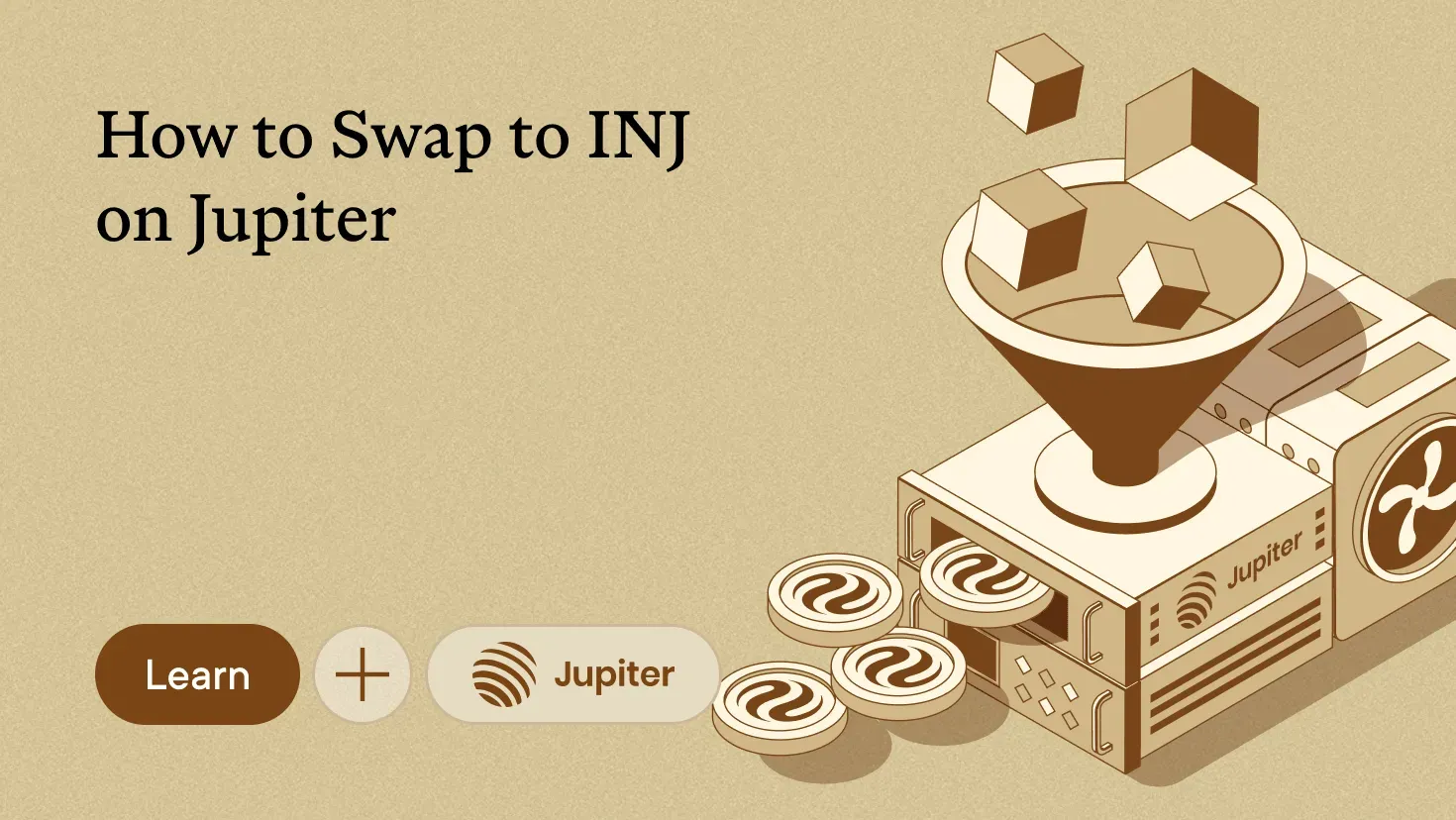
Jupiter lets you swap USDC for INJ from your Solana-based wallet. Choose your amount, review the quote, and approve the trade in your wallet.
This guide takes you from a funded wallet to your first INJ swap on Jupiter. Follow the screenshots to connect, find the correct INJ token, review the rate and price impact, and confirm the transaction.
What you need
- A Solana wallet, either a browser extension or Jupiter Wallet
- USDC or another token to swap from
- A little SOL left in the wallet for network fees
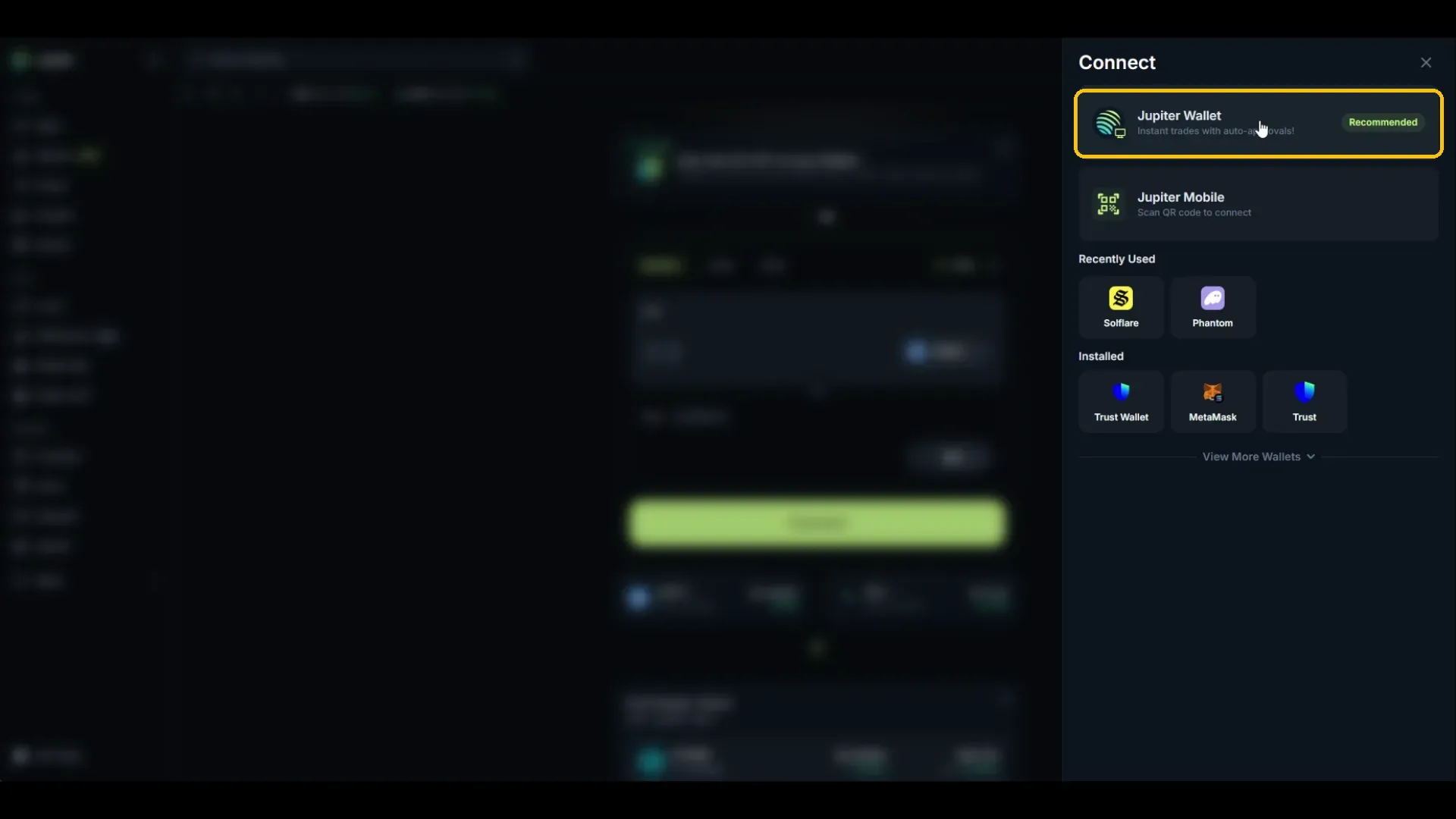
Jupiter supports Jupiter Wallet, Jupiter Mobile by QR code, and browser extensions including Phantom, Solflare, Trust Wallet, and MetaMask.
Connect your wallet
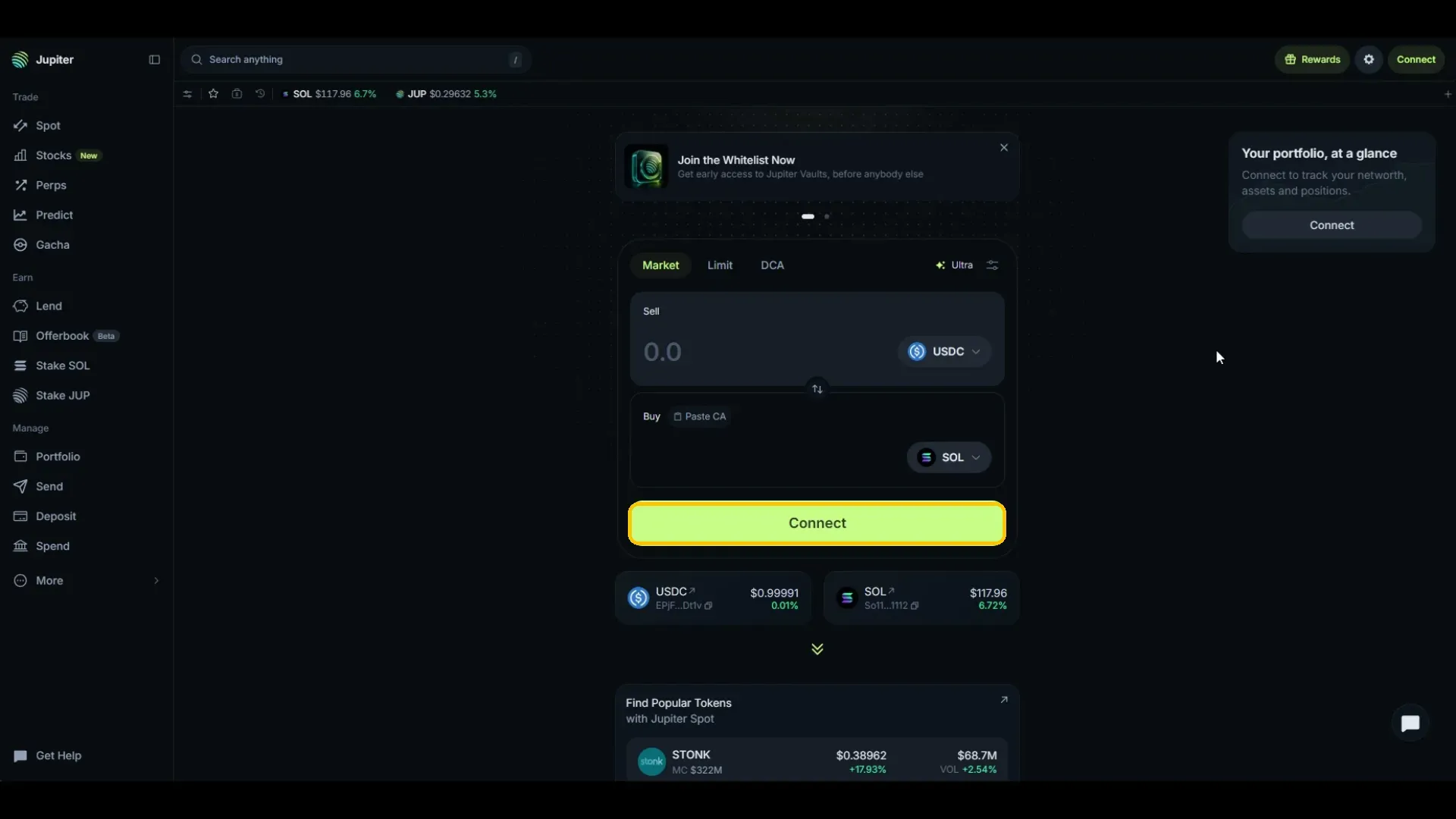
Step 1. Open jup.ag and select Connect
Go to the Spot page. Select Connect, either on the swap card or in the top right.
Step 2. Pick your wallet
Choose Jupiter Wallet, or pick your own extension under Recently Used or Installed. Approve the connection in the wallet.
Step 3. Confirm you are connected
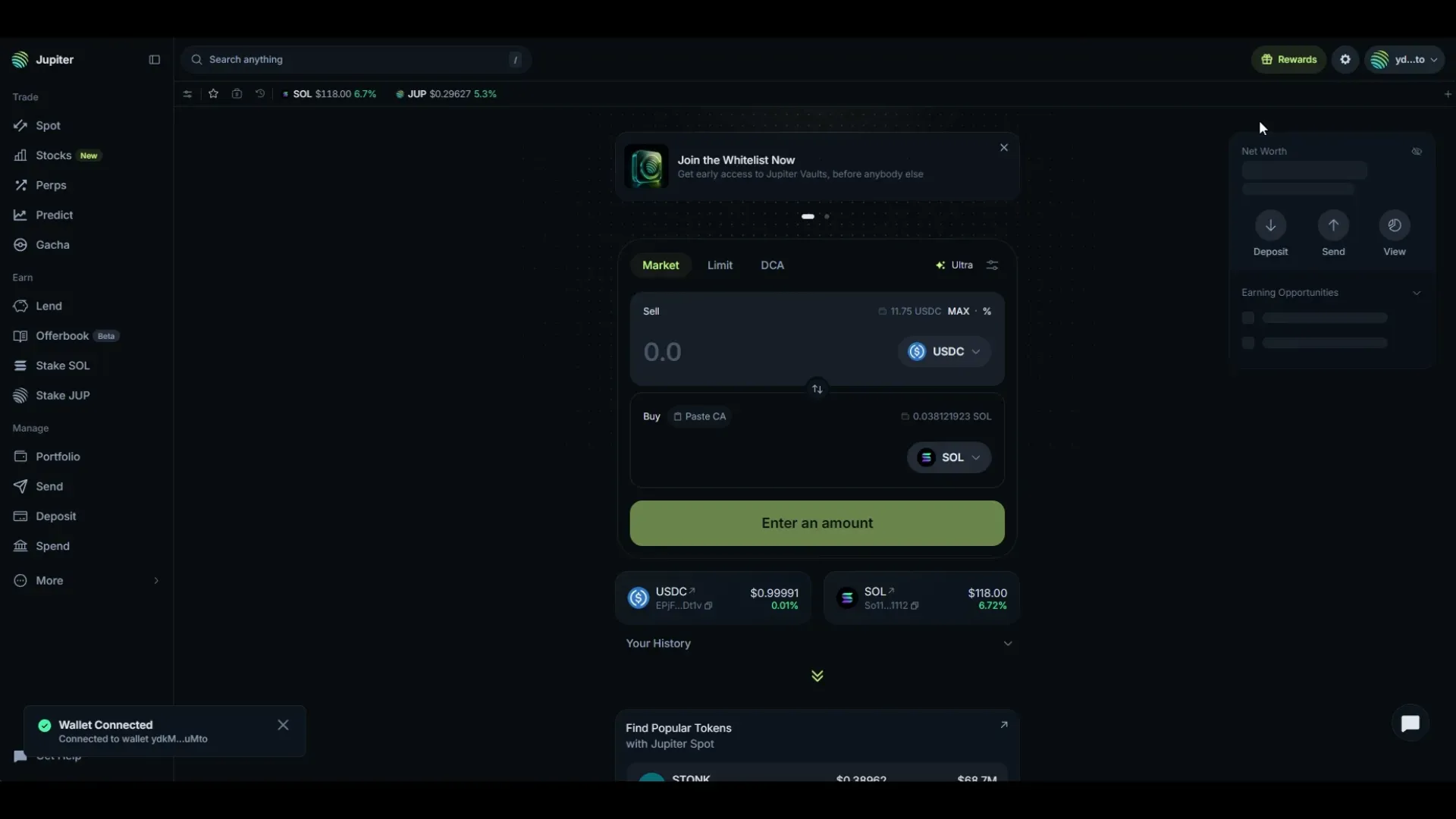
A Wallet Connected message appears and your net worth loads on the right.
Swap to INJ
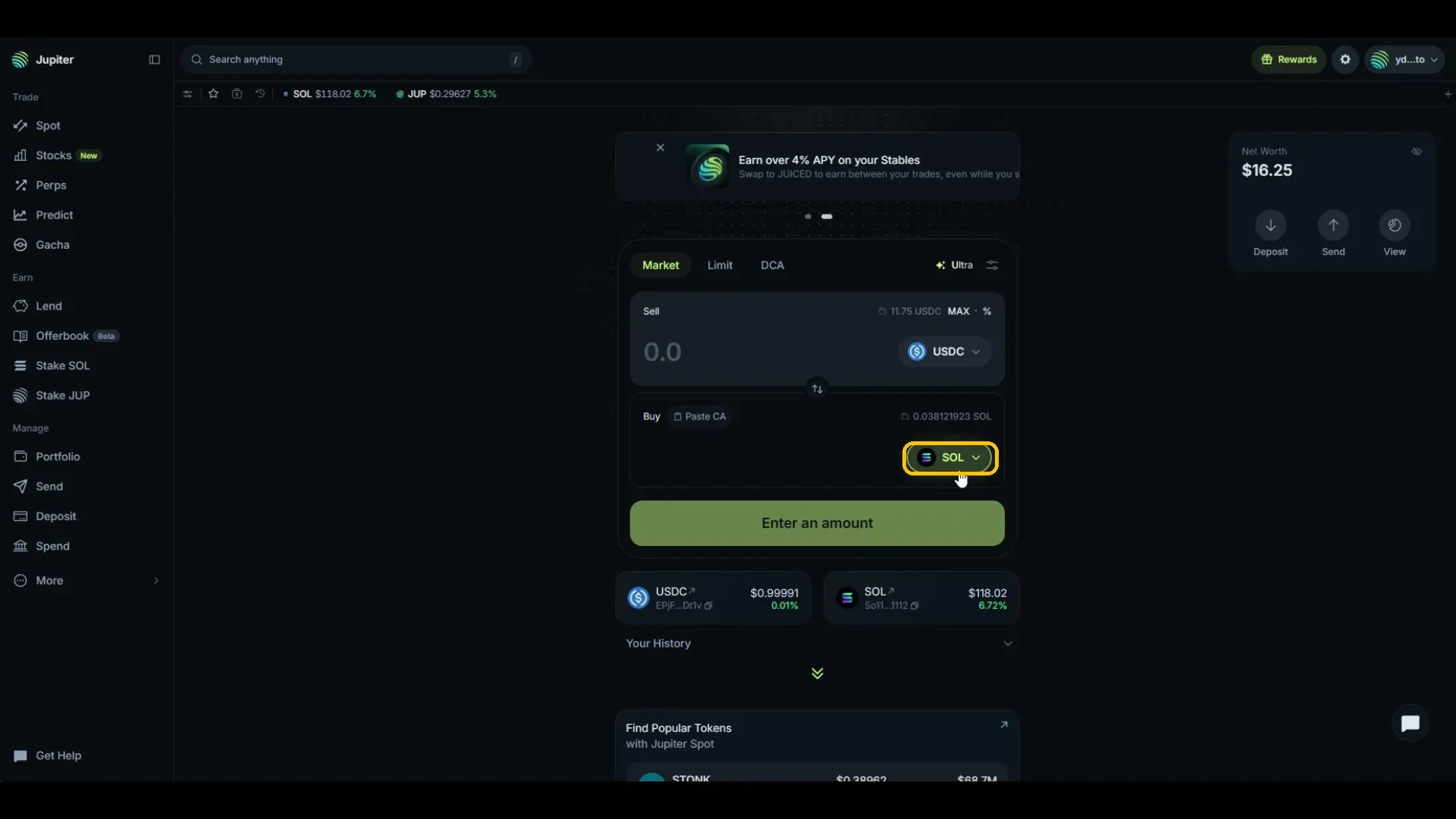
Step 1. Change the Buy token
Sell starts on USDC and Buy starts on SOL. Click the token on the Buy side.
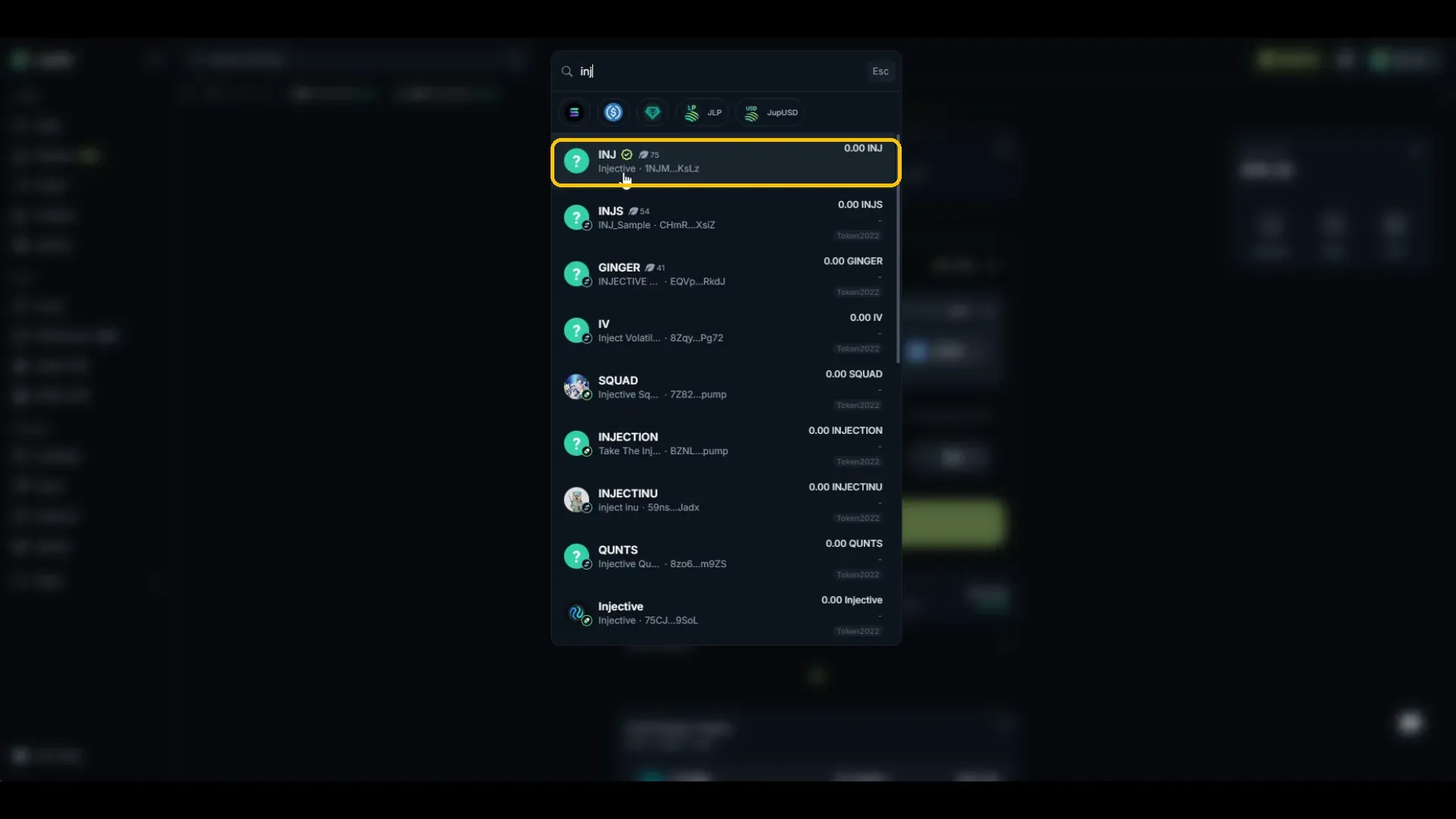
Step 2. Pick the verified INJ
Search inj and select the result with the green check, named Injective, with the contract starting 1NJM. The rest carry a Token2022 tag and are different tokens.
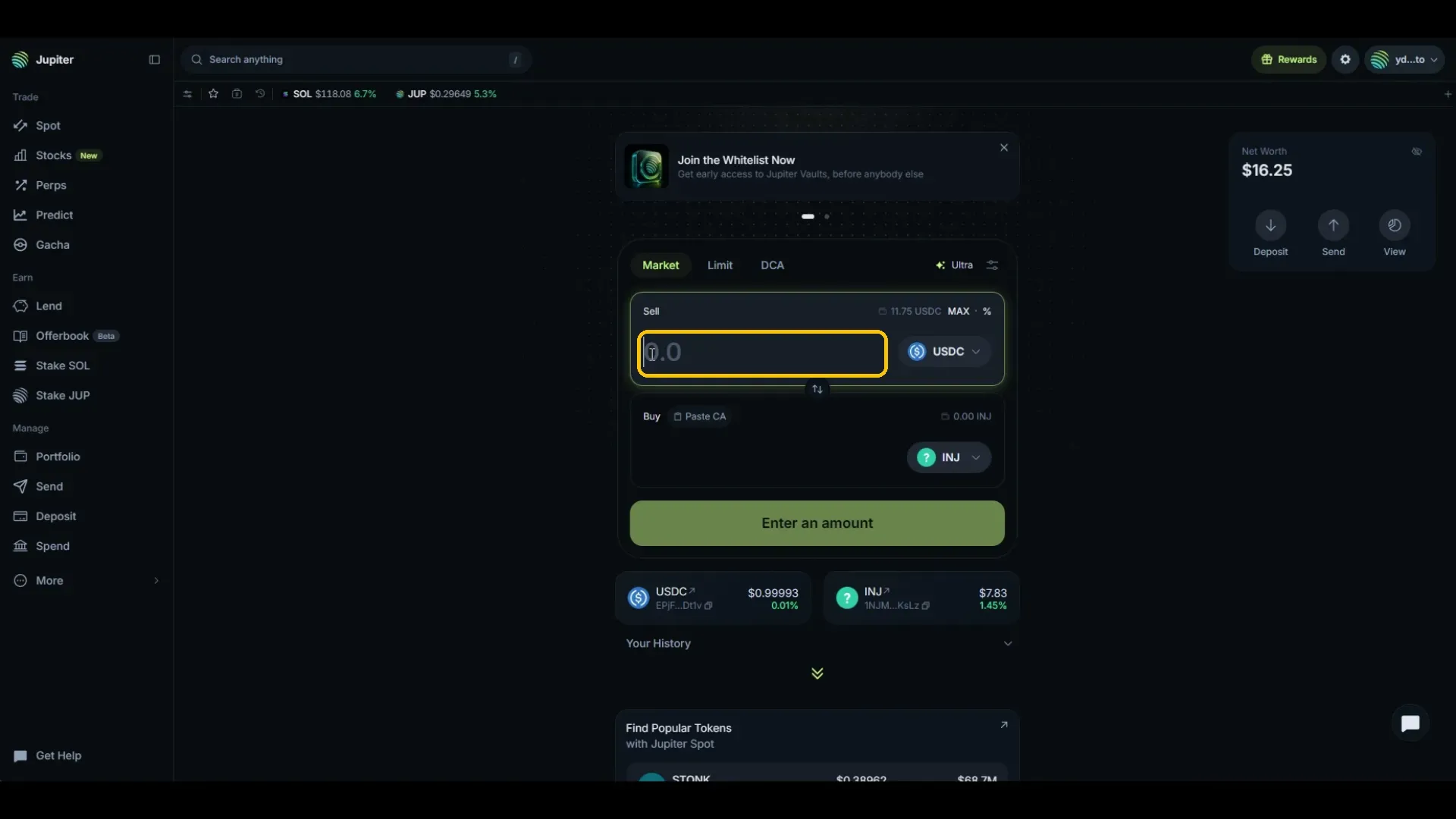
Step 3. Enter your amount
Type how much you want to sell, or use MAX and the percentage control on the Sell row.
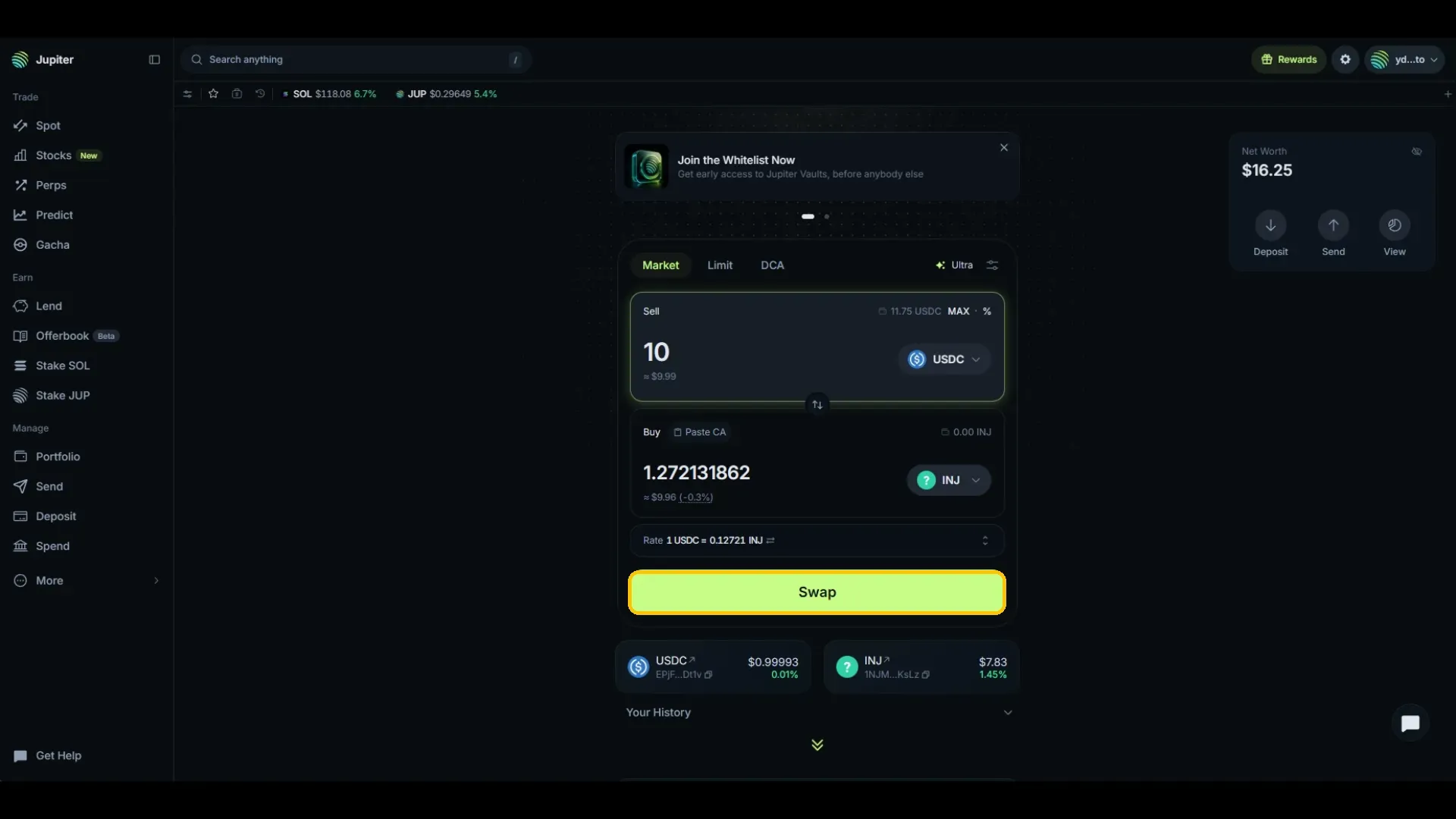
Step 4. Check the rate and swap
Jupiter shows what you receive, the dollar value, the price impact, and the rate. Click Swap.
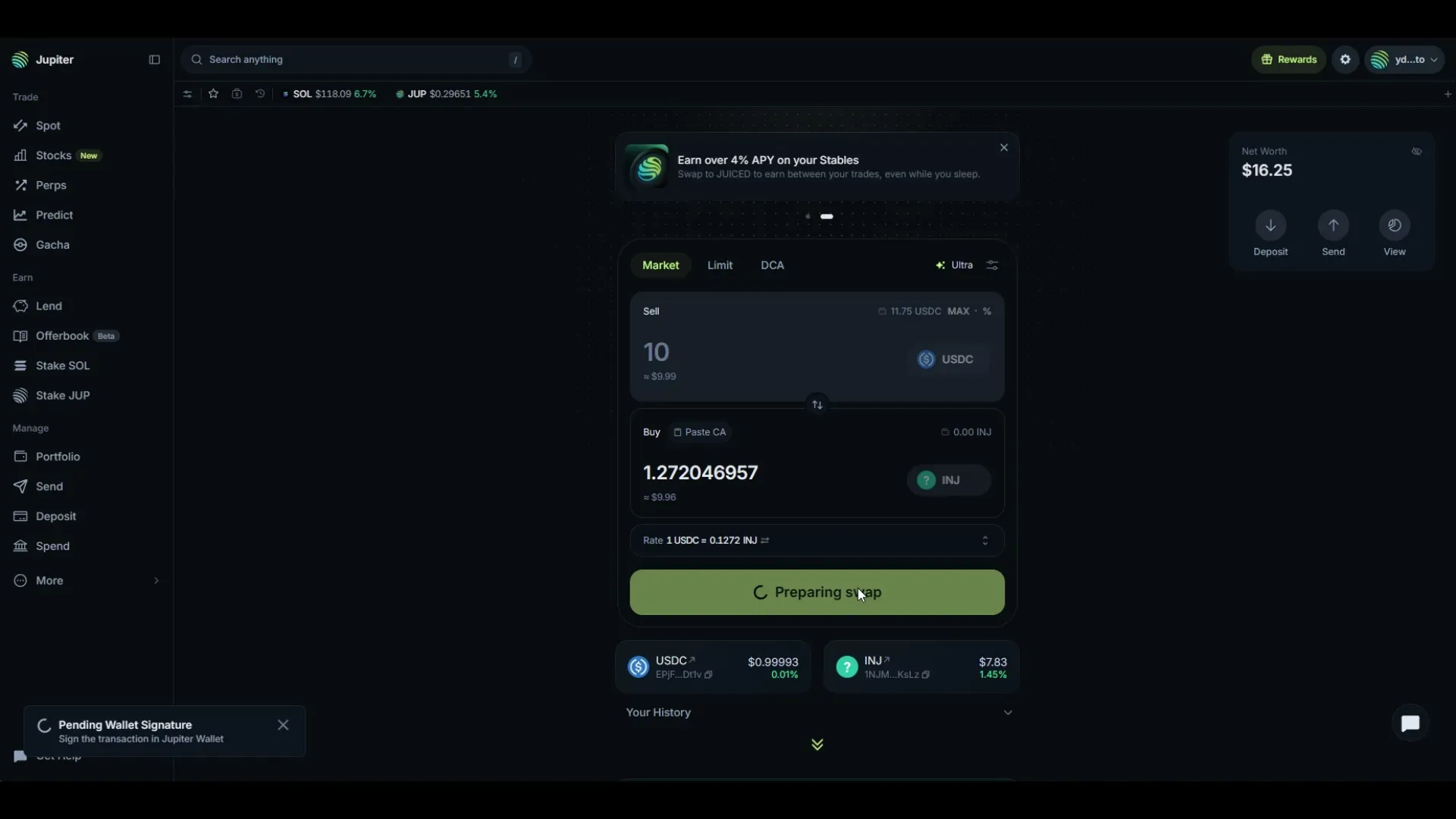
Step 5. Sign the transaction
Sign in your wallet when prompted.
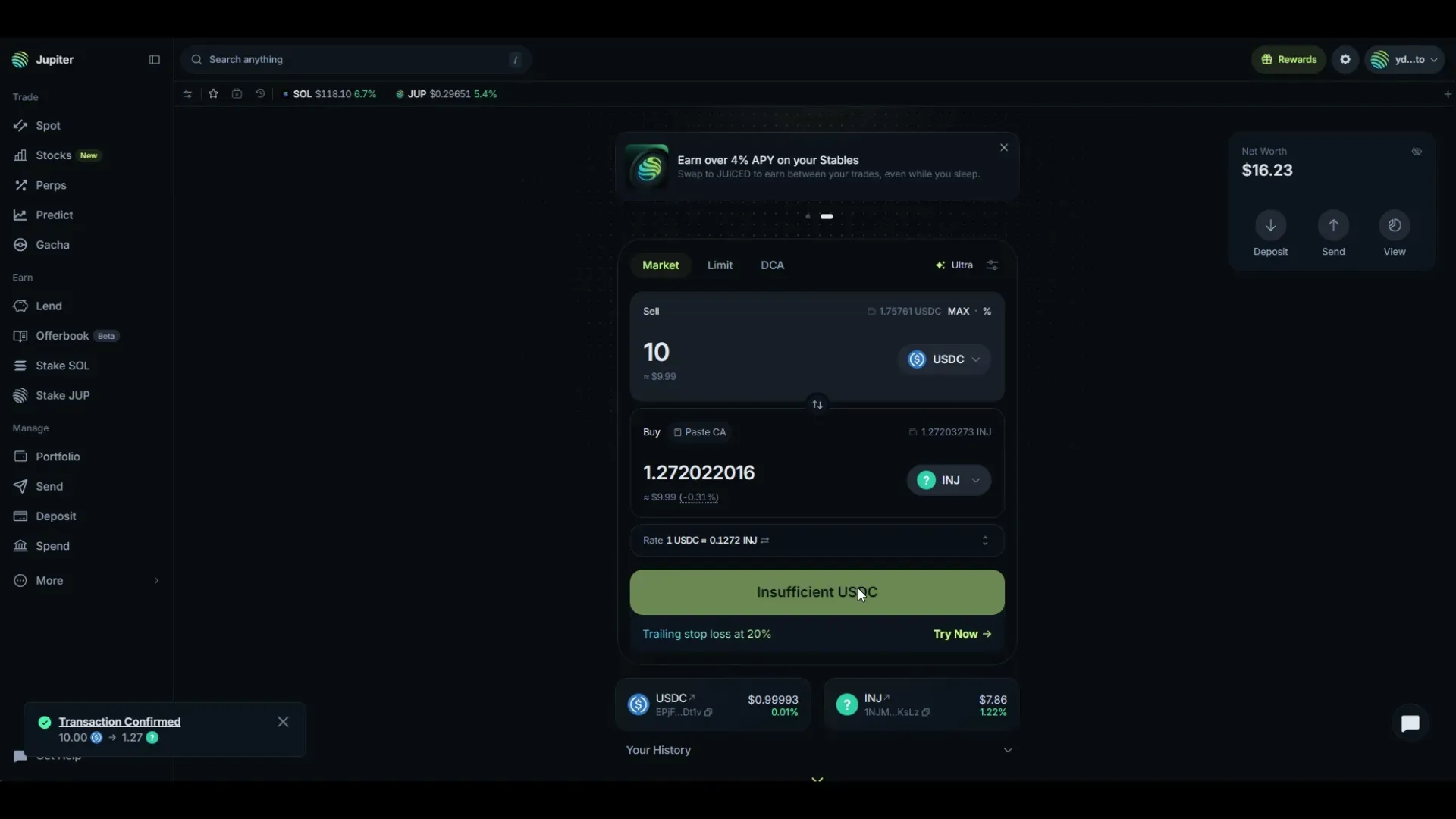
Transaction Confirmed shows the amounts that settled.
Common errors
Several results look like INJ
Only one carries the green verified check and reads Injective. The others are tagged Token2022 and are separate tokens. Match the contract before you select.
You changed the wrong side of the swap
Sell is what you pay. Buy is what you receive. The Buy side starts on SOL, so that is the one to change.
The button says Insufficient USDC after a swap
You spent the balance. The amount in the Sell field is still there from the last swap, and it is now more than you hold. Lower it or use MAX.
The swap fails on fees
Solana network fees are paid in SOL. Keep a small SOL balance in the wallet even when you are swapping other tokens.
Start with INJ
Open jup.ag, connect your wallet, and search inj on the Buy side. Check the verified badge and the contract, read the rate, then swap.