Want to build onchain applications without writing a single line of code? iBuild is an AI-powered development platform on Injective that transforms simple prompts into fully functional dApps in minutes. This guide will walk you through creating your first decentralized exchange (DEX) using iBuild's no-code interface.
Get Started with iBuild at https://iBuild.dev
What is iBuild?
iBuild represents a breakthrough in blockchain development—an AI-powered platform that allows anyone to build sophisticated onchain applications using natural language prompts. Whether you want to create a DEX, tokenization protocol, or custom DeFi application, iBuild eliminates the traditional barriers of coding expertise, smart contract development, and complex deployment processes.
For the first time in blockchain history, building onchain applications is as simple as describing what you want to create. iBuild handles the code generation, testing, and deployment automatically, reducing what typically takes development teams months into a process that can be completed in minutes.
To get started with iBuild, you will need to:
- Connect a compatible wallet (Keplr, MetaMask, Leap, or Rabby)
- Acquire Credits for AI interactions (purchased with INJ)
- Access the iBuild platform
For this tutorial, we will use Keplr as the wallet connector.
Step 1: Connect Your Wallet
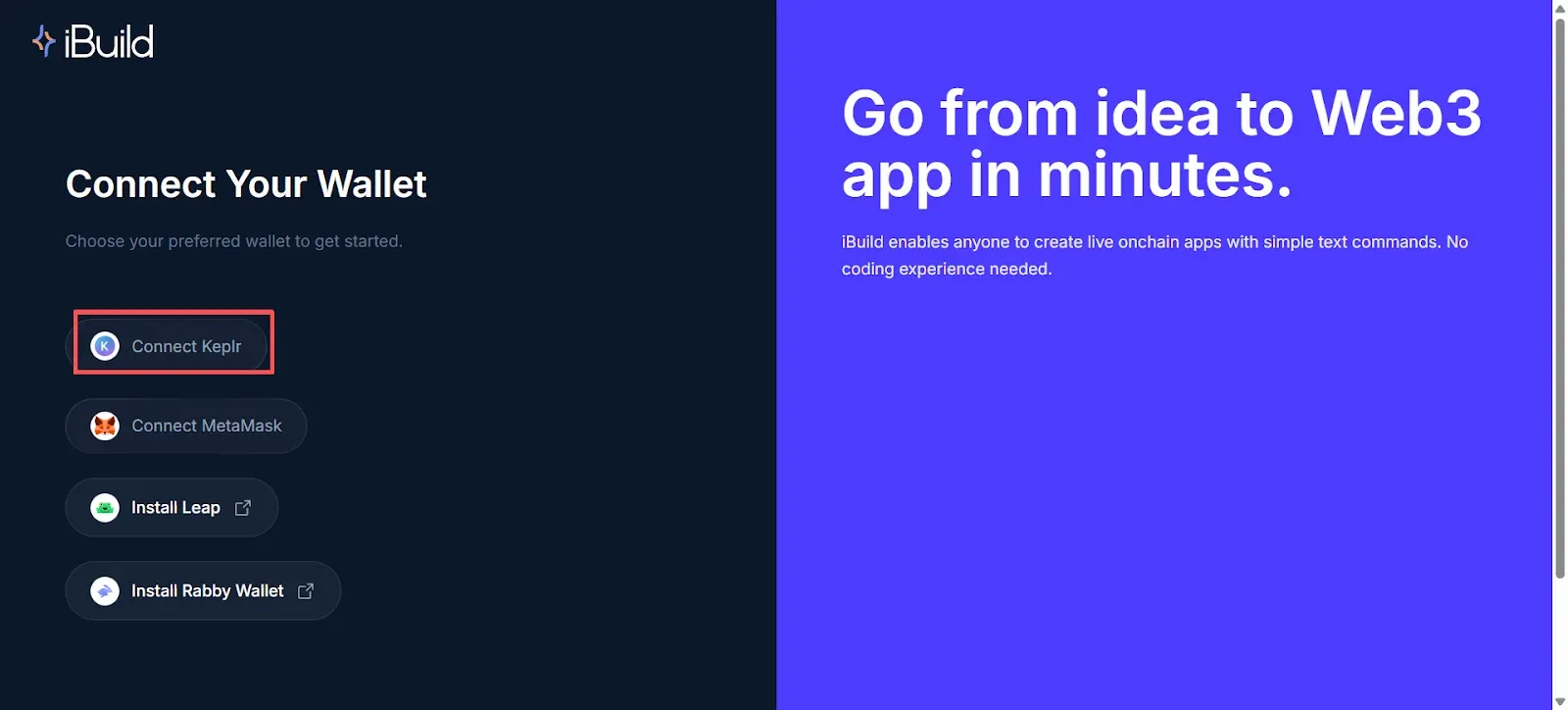
Navigate to the iBuild platform and click Connect Wallet in the top-right corner. iBuild currently supports four wallet options: Keplr, MetaMask, Leap, and Rabby.
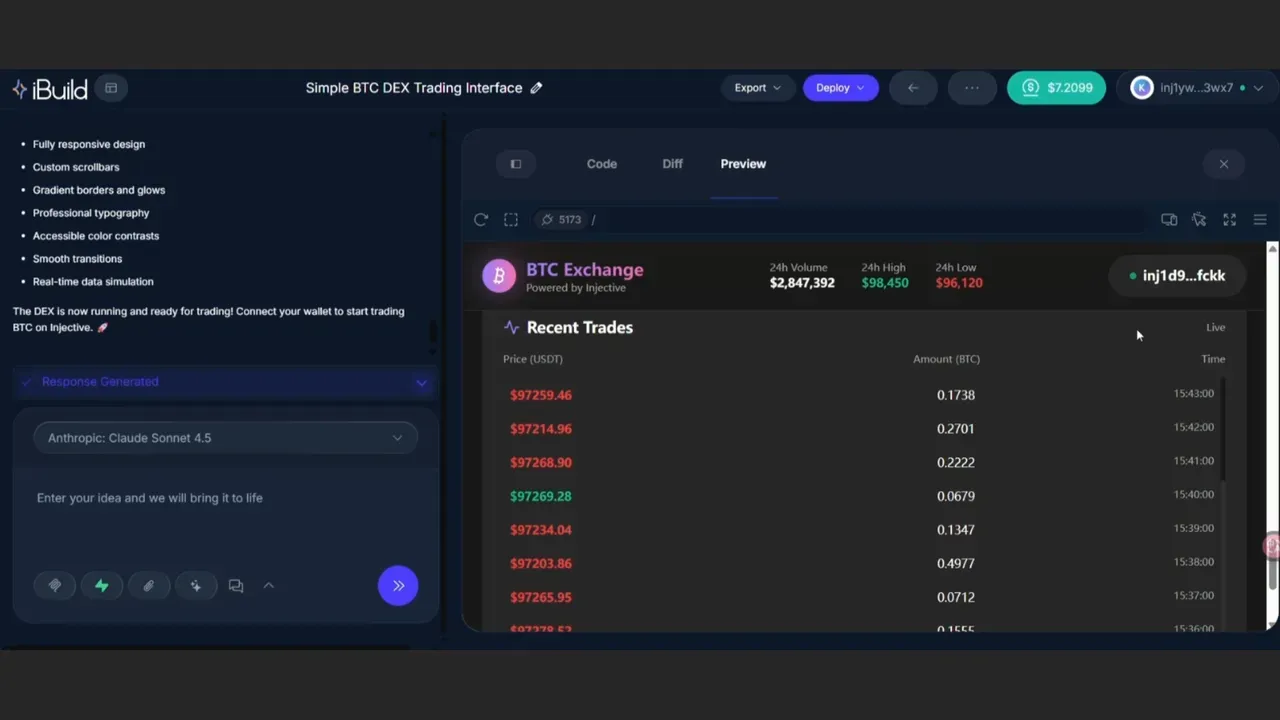
Select your preferred wallet and approve the connection request. Once connected, your wallet address will appear in the upper right corner of the interface.
Step 2: Understanding Credits
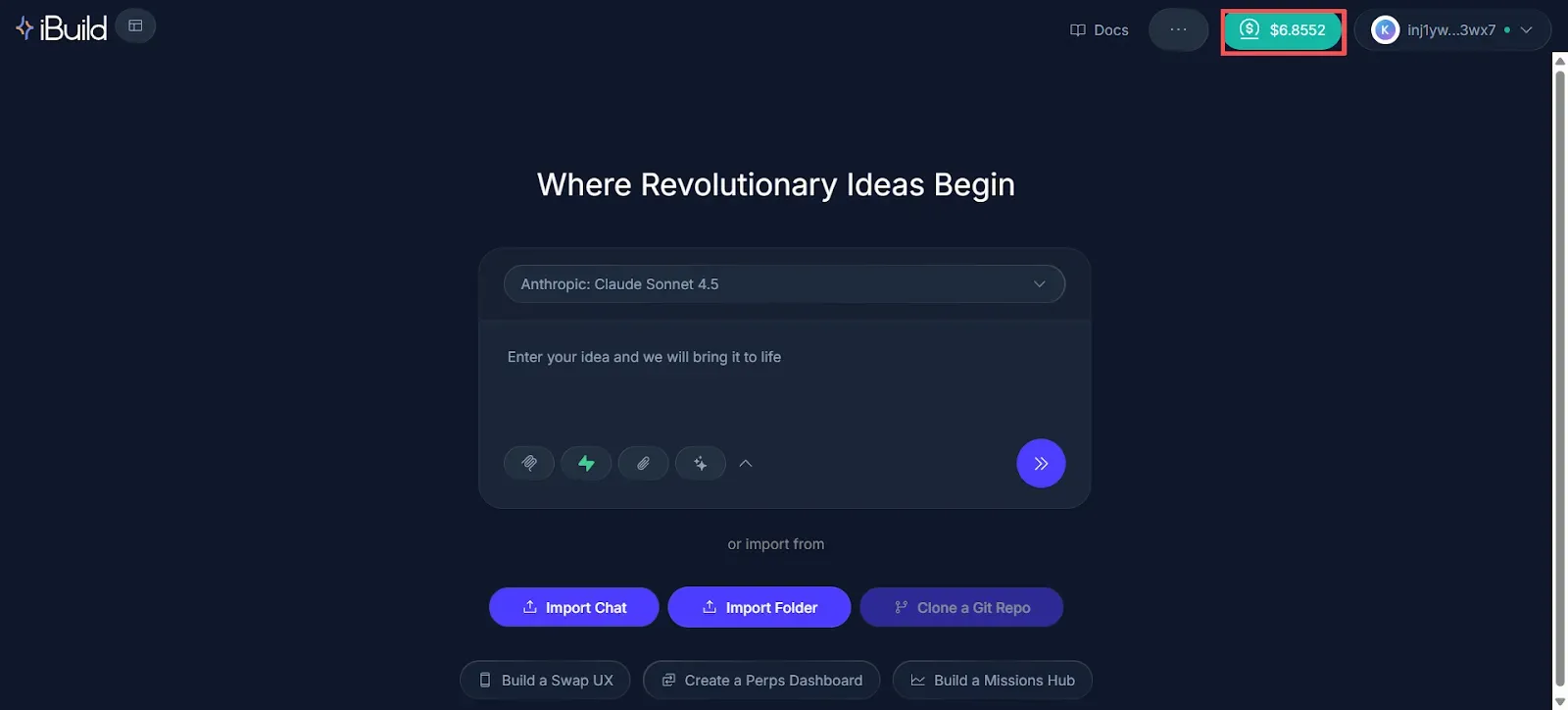
Before creating your first application, you'll need Credits to power your AI interactions. Credits are displayed next to your wallet address in the top-right corner.
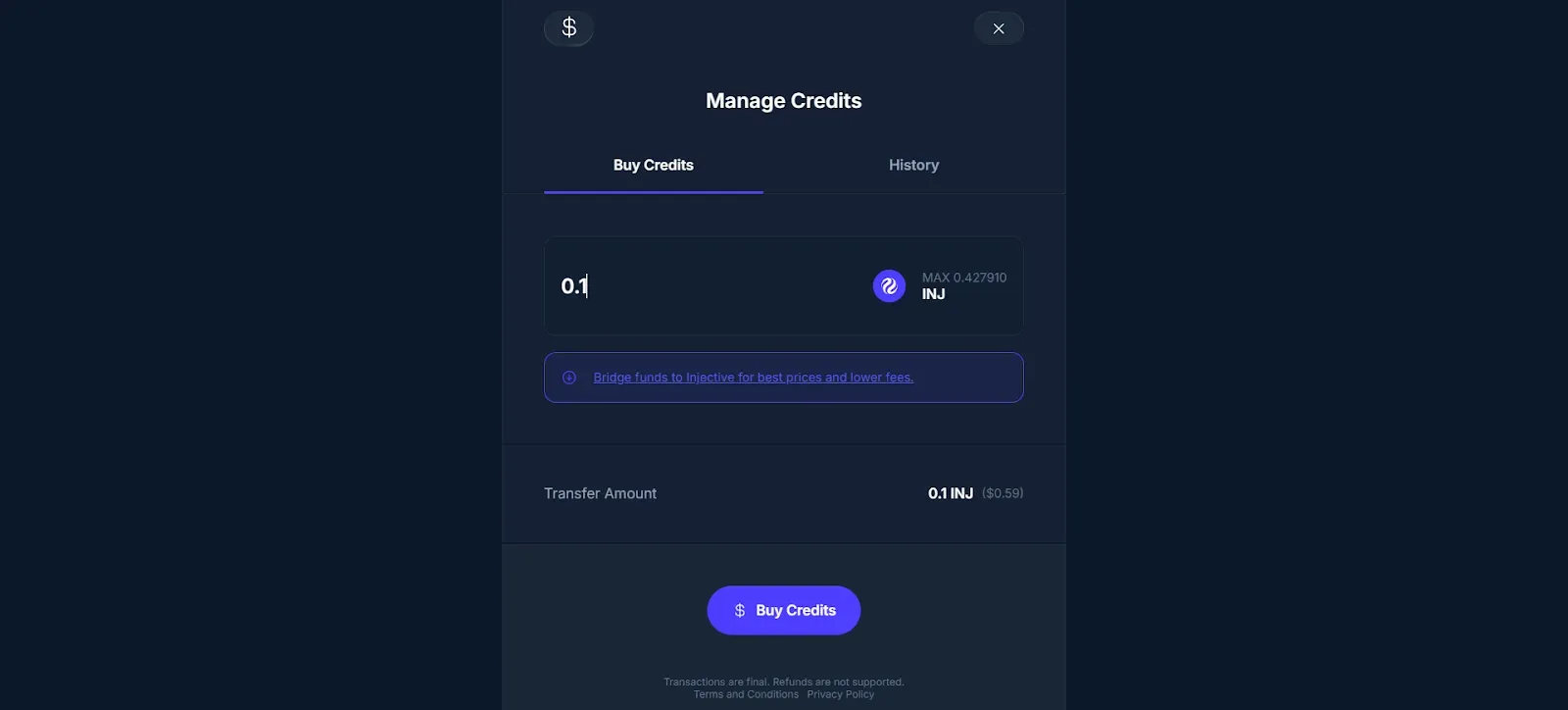
Each interaction with iBuild's AI consumes a certain number of Credits. To purchase Credits:
- Click on the Credits balance display
- Select the amount of Credits you want to purchase
- Complete the transaction using INJ tokens
Credits are cost-effective—approximately $1 provides around 6 AI interactions, making it affordable to experiment and iterate on your projects.
Step 3: Building Your First DEX
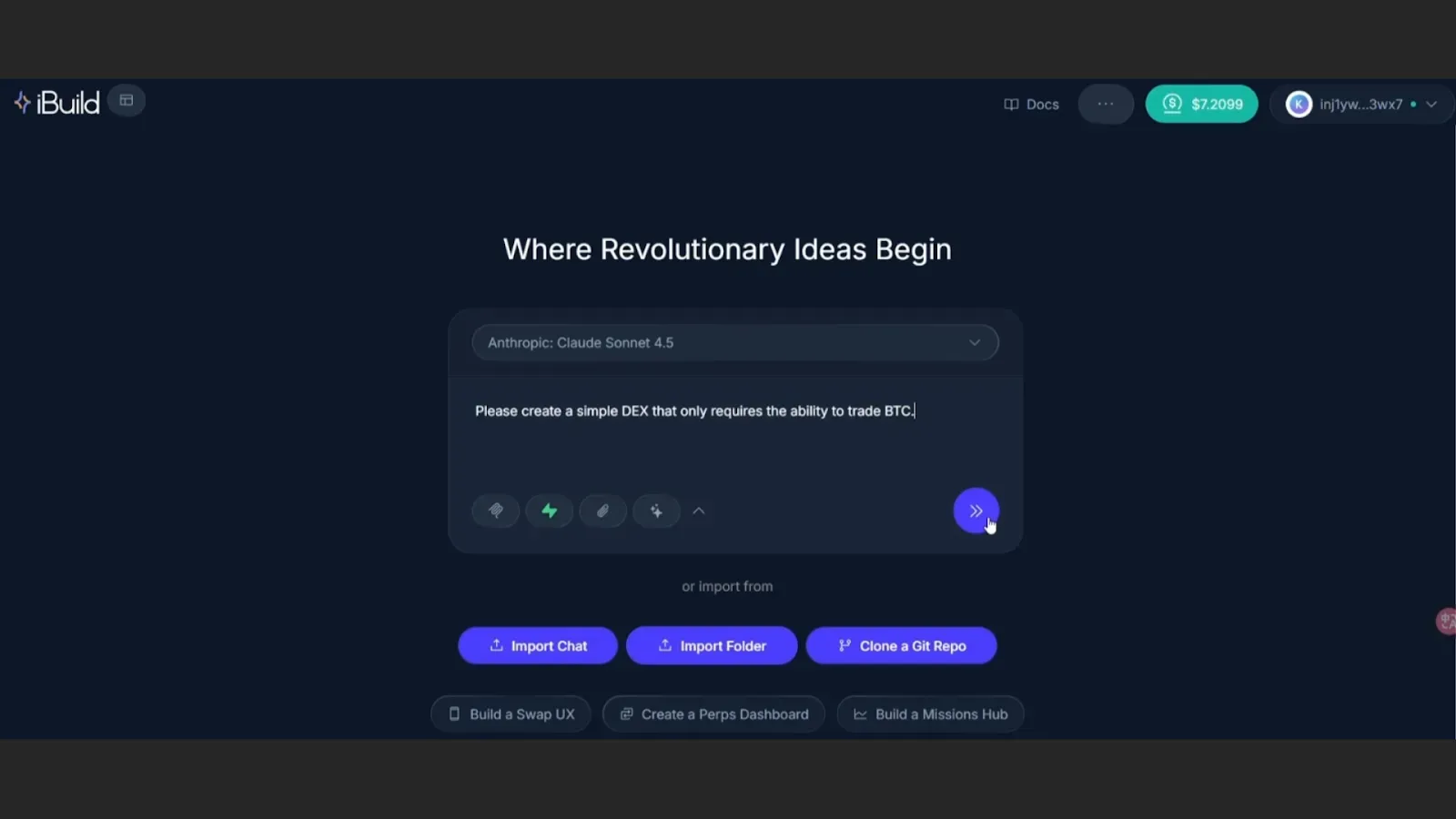
Once your wallet is connected and you have Credits, you're ready to build. The main interface features a simple chat input where you'll describe what you want to create.
For this example, we'll build a simple DEX that supports BTC/USDT trading. In the input box, type:
"Please create a simple DEX that only allows trading BTC."
Notice how straightforward this is—no technical specifications, no code structure, just a clear description of what you want to build.
Press Enter or click the arrow in the lower right corner to submit your prompt. iBuild will immediately begin the automatic code generation process.
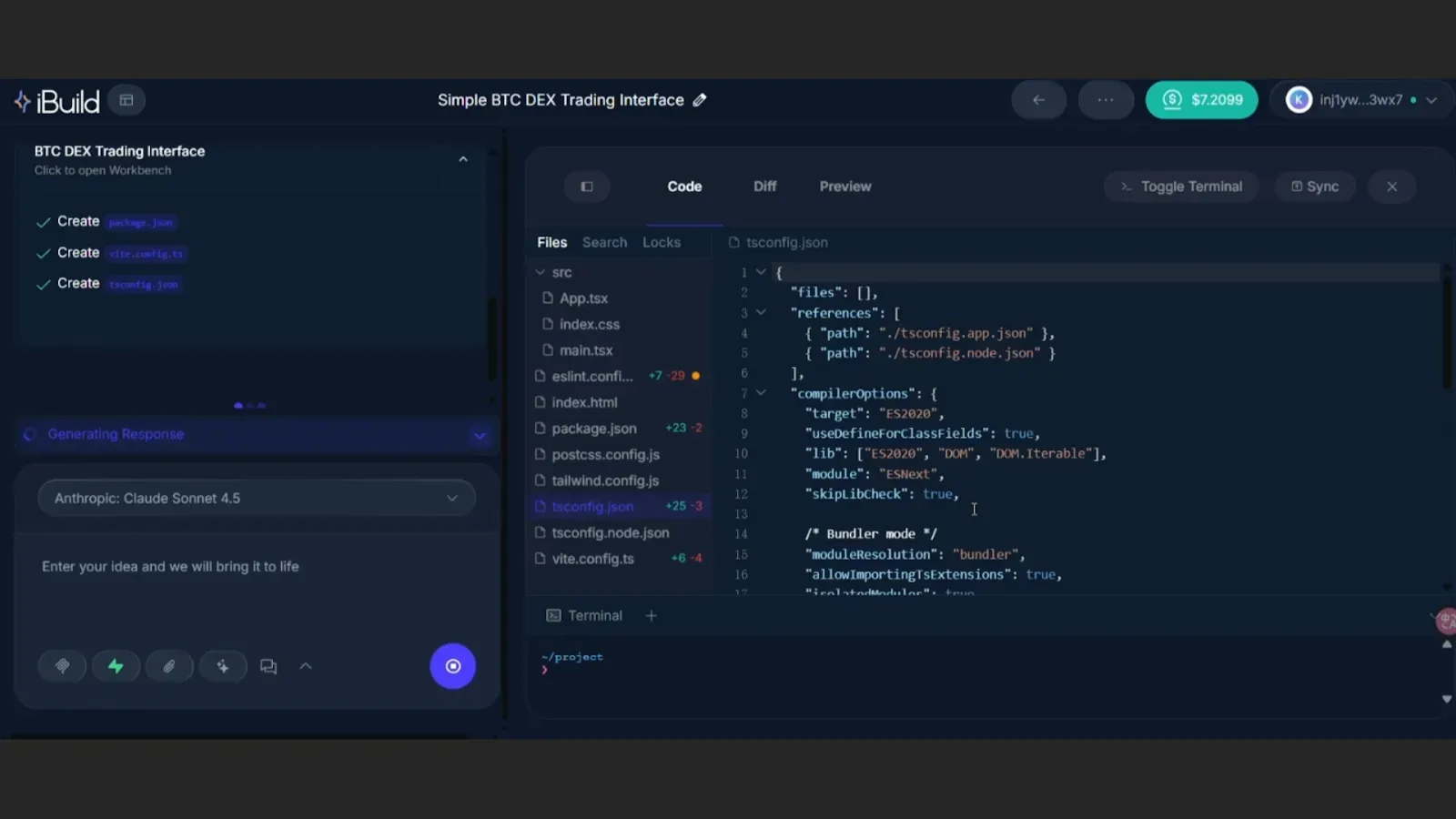
iBuild will generate the complete file structure for your DEX in approximately 2 minutes. You can watch as iBuild creates all necessary components, including the user interface, trading logic, and wallet integration.
Step 4: Preview and Test Your Application
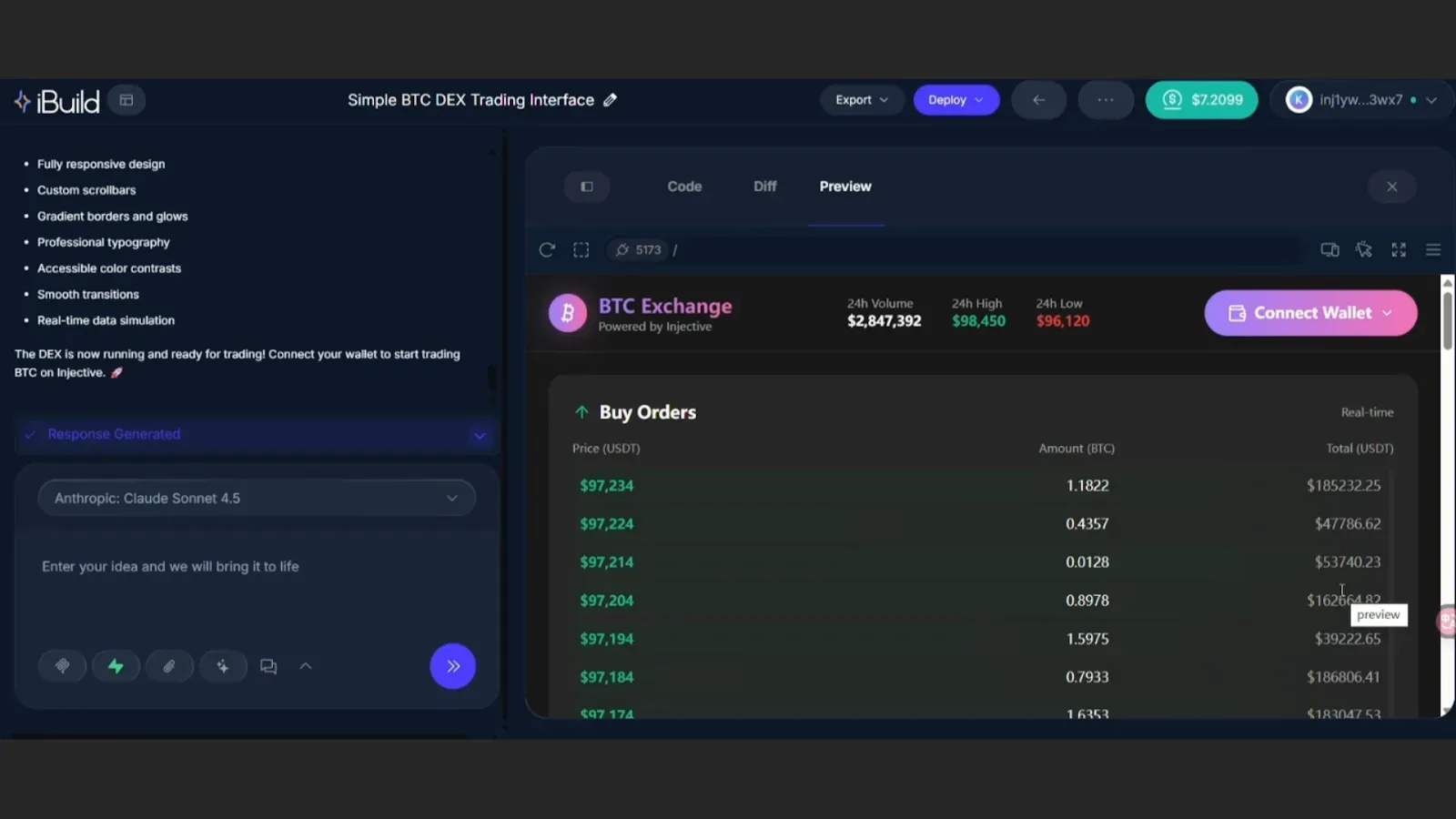
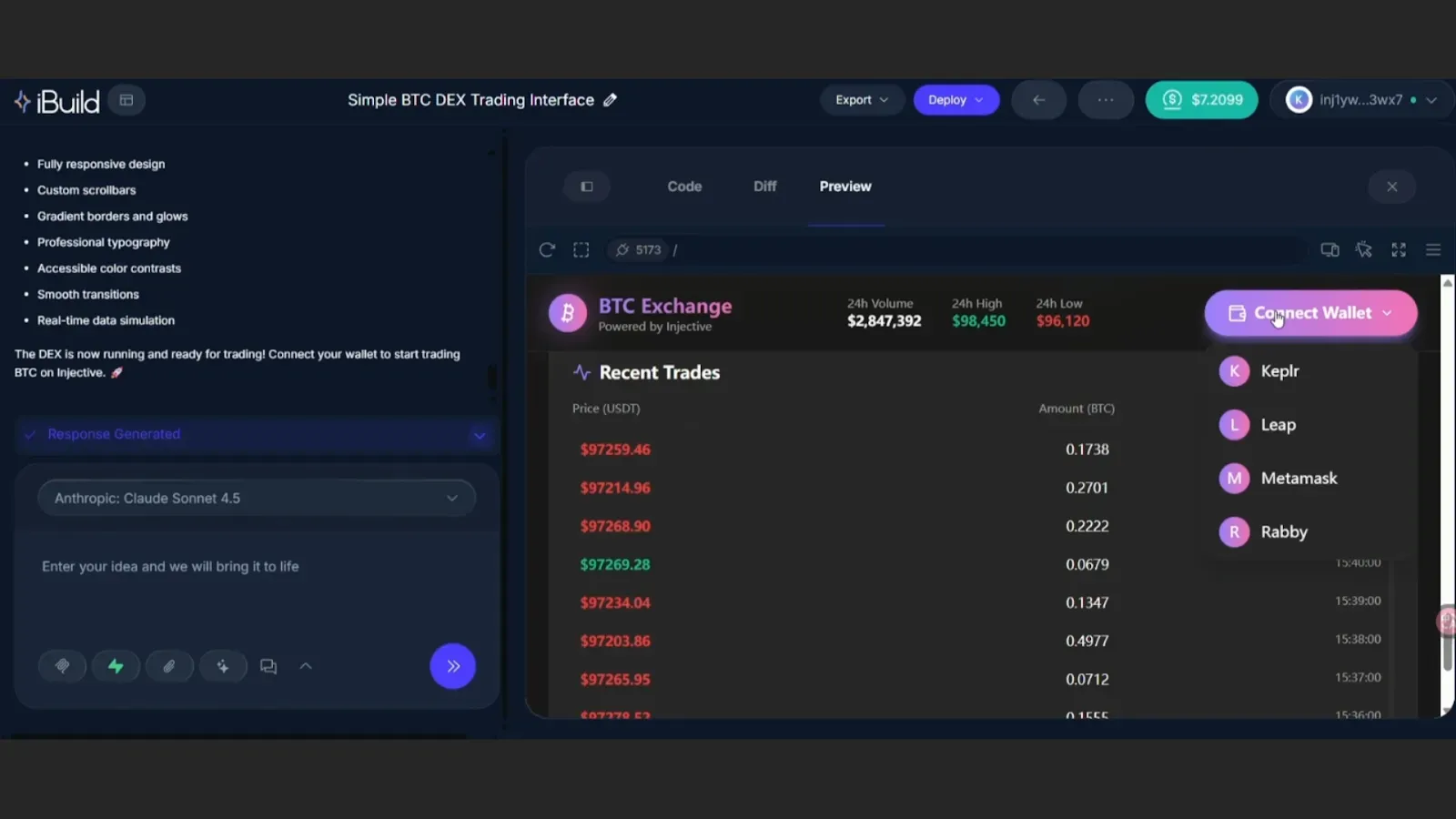
Once code generation is complete, iBuild automatically switches to the Preview interface, where you can see your newly created DEX in action.
The preview environment allows you to:
- Test wallet connection functionality
- Interact with the trading interface
- Verify that all features work as intended
- Make adjustments by providing additional prompts
Your DEX is now functional and can be connected to a wallet for testing. If you want to modify any features, simply describe the changes you'd like to make in a new prompt, and iBuild will update the code accordingly.
Key iBuild Features
Beyond the basic workflow, iBuild offers several powerful features accessible through the platform interface:
Documentation – Access comprehensive technical documentation about iBuild's capabilities and best practices.
GitHub Integration – Connect your code repositories to export and version control your projects.
Data Management – Manage your chat history with the AI and export conversations for future reference.
Event Log – Track all development activities and deployment events.
MCP Server – Advanced server configuration options for experienced users.
These features enable more sophisticated development workflows while maintaining iBuild's core simplicity.
Why iBuild Matters
Democratized Development – Anyone can build onchain applications regardless of coding experience.
Rapid Prototyping – Transform ideas into working applications in minutes, not months.
Cost Efficiency – Eliminate the need for expensive development teams and lengthy deployment processes.
Native Injective Integration – Applications built with iBuild are optimized for Injective's high-performance infrastructure.
AI-Powered Iteration – Refine and improve your applications through conversational prompts rather than manual code changes.
FAQ
What types of applications can I create with iBuild?
iBuild supports a wide range of onchain applications including DEXs, tokenization platforms, DeFi protocols, NFT marketplaces, and custom financial applications. If you can describe it, iBuild can build it.
Do I need any programming experience?
No programming experience is required. iBuild is designed for creators, entrepreneurs, and innovators who have ideas but lack coding expertise.
How much do Credits cost?
Credits are purchased using INJ tokens. Pricing is designed to be accessible—approximately $1 provides around 6 AI interactions, making it cost-effective to build and iterate on multiple projects.
Can I export my code?
Yes, iBuild supports GitHub integration, allowing you to export your generated code to your own repositories for version control and further customization.
What wallets are supported?
iBuild currently supports Keplr, MetaMask, Leap, and Rabby wallets for connecting to the platform and testing your applications.
How long does it take to build an application?
Simple applications like the DEX demonstrated in this guide can be generated in approximately 2 minutes. More complex applications may take longer depending on the scope and features requested.
Start Building Today
The future of onchain development is here. iBuild transforms the way applications are created on Injective, making blockchain development accessible to everyone. Whether you're an entrepreneur with an innovative DeFi concept, a creator looking to tokenize assets, or simply curious about building onchain, iBuild provides the tools to bring your vision to life.
Visit the iBuild platform and start creating your first onchain application today. ibuild.dev
Tutorial guide inspired by HYbigboss on X.

About Injective
Injective is a lightning fast interoperable layer one blockchain optimized for building premier Web3 finance applications. Injective provides developers with powerful plug-and-play modules for creating unmatched dApps. INJ is the native asset that powers Injective and its rapidly growing ecosystem. Injective is incubated by Binance and is backed by prominent investors such as Jump Crypto, Pantera and Mark Cuban.
Website | Telegram | Discord | Blog | Twitter | Youtube | Facebook | LinkedIn | Reddit | Instagram | Orbit Newsletter